> ## Documentation Index
> Fetch the complete documentation index at: https://docs.coloop.ai/llms.txt
> Use this file to discover all available pages before exploring further.
# Writing a Good Project Description
* CoLoop's performance can be **massively** improved by providing it with a good project description.
* This description will be used fed into the AI model at inference and used to guide its output.
* You can update this description at any point by clicking on the project settings in the top menu.
* This article outlines some recommendations and best practices when using the project description.
## How does CoLoop actually use this information?
* The description provided is considered used by CoLoop in:
1. AI Chats
2. Analysis Grids
3. Summaries.
4. Processing of documents
5. Evidence Panels
6. Suggested Questions
* It also helps to resolve reference to concepts or products in a discussion
### For example a query such as...
> Summarise what the customers thought?
With a project description like...
> This project contains feedback interviews with users of a new product for qualitative research called CoLoop. Participants are talking about their experiences with the tool. I am interesting in summarising the main gain points, pain points and areas for further improvement. I am also interested in keeping track of any follow up items they are expecting me to send to them after the call.
For CoLoop can then effectively be read as...
> Summarise **\[into gain points, pain points and areas for improvement]** what the customers **\[of a new tool CoLoop]** thought **\[of that tool]**
## So how do I set the project description?
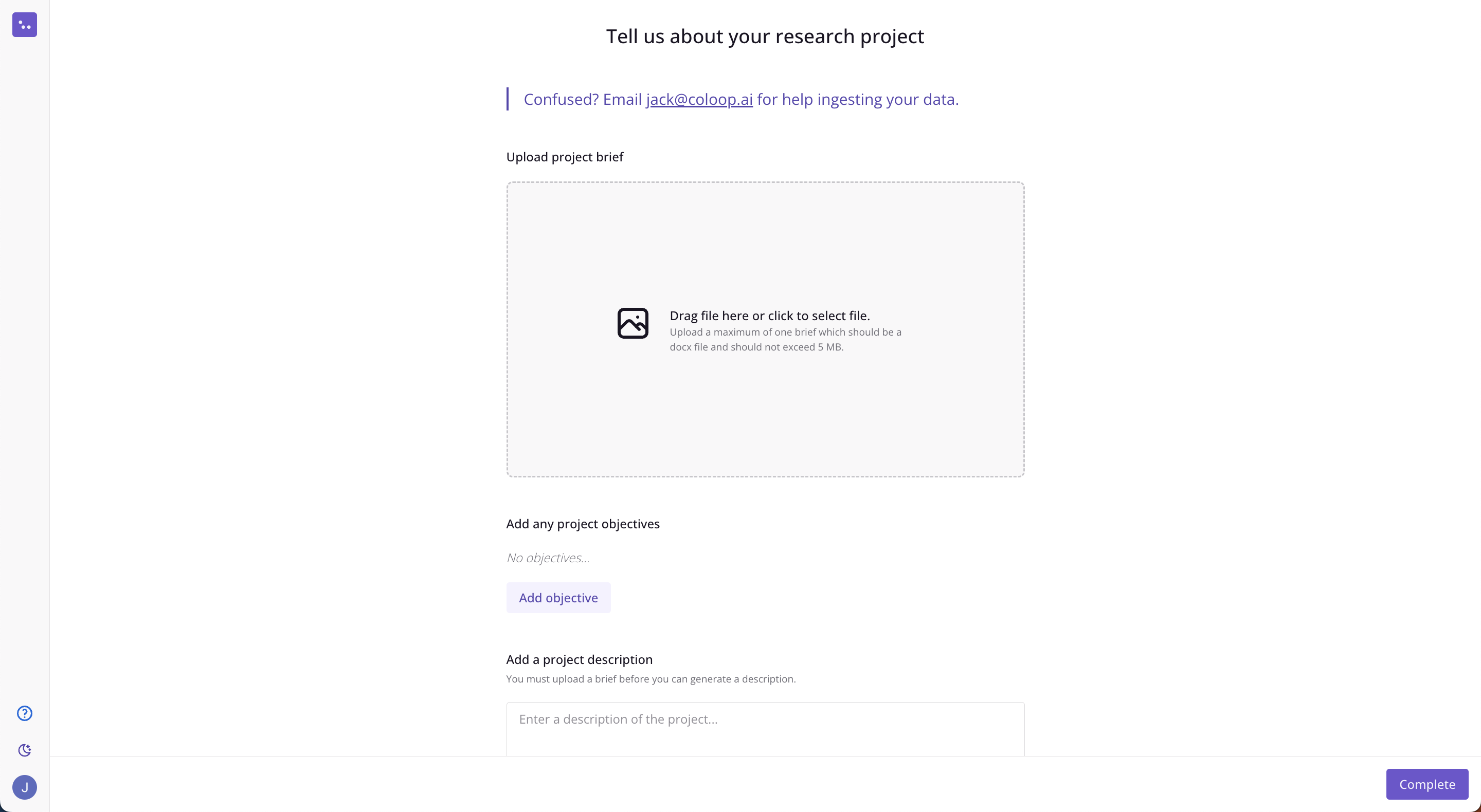
### Set the description when creating a project
You will be prompted to set the project description when you create the project at the beginning:
 ### Set the description after you've created a project
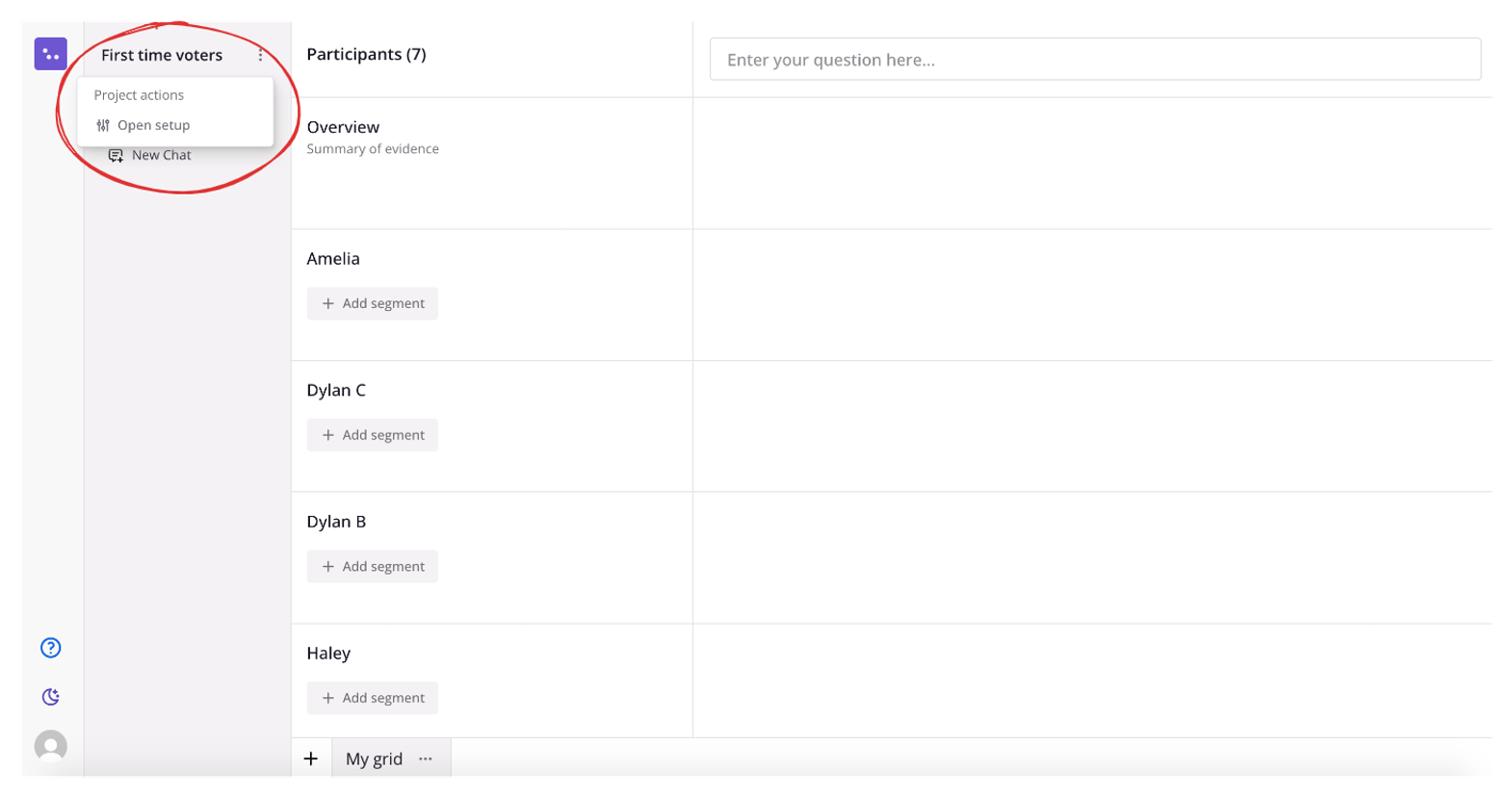
You can also go back at any point and set / update the project description by clicking on the button next to the project name in the menu on the lHS:
### Set the description after you've created a project
You can also go back at any point and set / update the project description by clicking on the button next to the project name in the menu on the lHS:
 ### Automatically generate a description
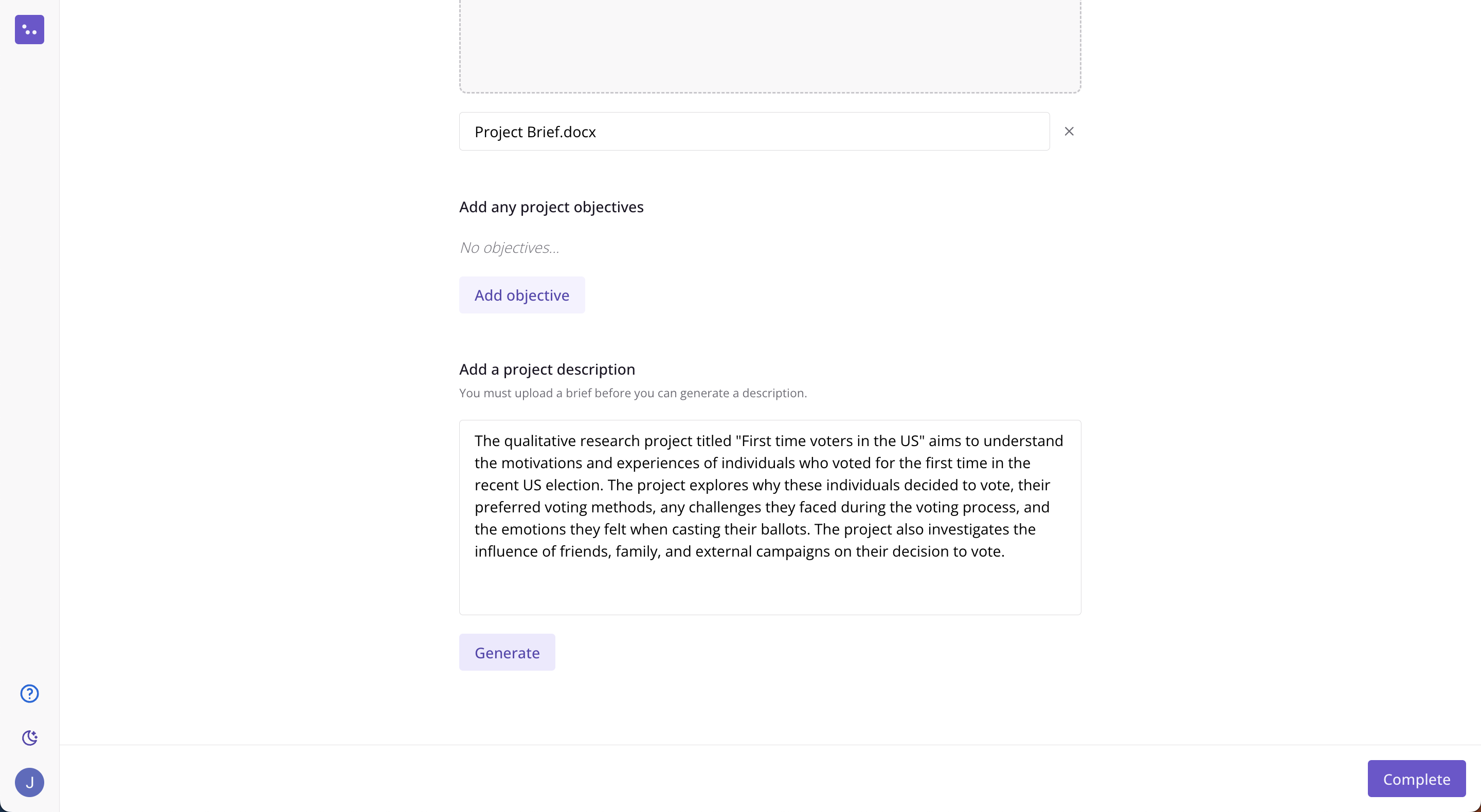
If you've uploaded a discussion guide you can get CoLoop to generate a description for you automatically by clicking the generate button.
### Automatically generate a description
If you've uploaded a discussion guide you can get CoLoop to generate a description for you automatically by clicking the generate button.
 ## What kind of things can I put in the description?
The project description is a great place to put information that you don't want to have to keep repeating in every single message e.g.
* Background context about the study
* Details of the different concepts being referred to
* Objectives or questions your trying to answer
* Industry specific details or acronyms
* Guidance for how you want the chat to layout answers to your questions
## What if my project has multiple discussion guides?
* If you have multiple discussion guides most of the time we recommend copy and pasting them into one document.
* CoLoop uses the uploaded guide to create a description of the project, see examples of questions asked and derive a set of objectives.
* These can always be edited afterwards so you can ensure the AI has a good understanding of what question you're trying to answer.
## What kind of things can I put in the description?
The project description is a great place to put information that you don't want to have to keep repeating in every single message e.g.
* Background context about the study
* Details of the different concepts being referred to
* Objectives or questions your trying to answer
* Industry specific details or acronyms
* Guidance for how you want the chat to layout answers to your questions
## What if my project has multiple discussion guides?
* If you have multiple discussion guides most of the time we recommend copy and pasting them into one document.
* CoLoop uses the uploaded guide to create a description of the project, see examples of questions asked and derive a set of objectives.
* These can always be edited afterwards so you can ensure the AI has a good understanding of what question you're trying to answer.