> ## Documentation Index
> Fetch the complete documentation index at: https://docs.coloop.ai/llms.txt
> Use this file to discover all available pages before exploring further.
# Comparative Grids
> Learn how to compare and contrast your data by segments or participants using the Comparative Analysis Grids.
Custom Grids are now Comparative Analysis Grids!
Comparative Analysis Grids let you create custom rows by segments and participants. If you have a large number of participants in a project, this is an especially useful tool to consolidate multiple participants in a row and simplify the grid.
If you're working with larger datasets (e.g. community data) with over 200
participants please use the comparative analysis grids.
## Creating a comparative analysis grid
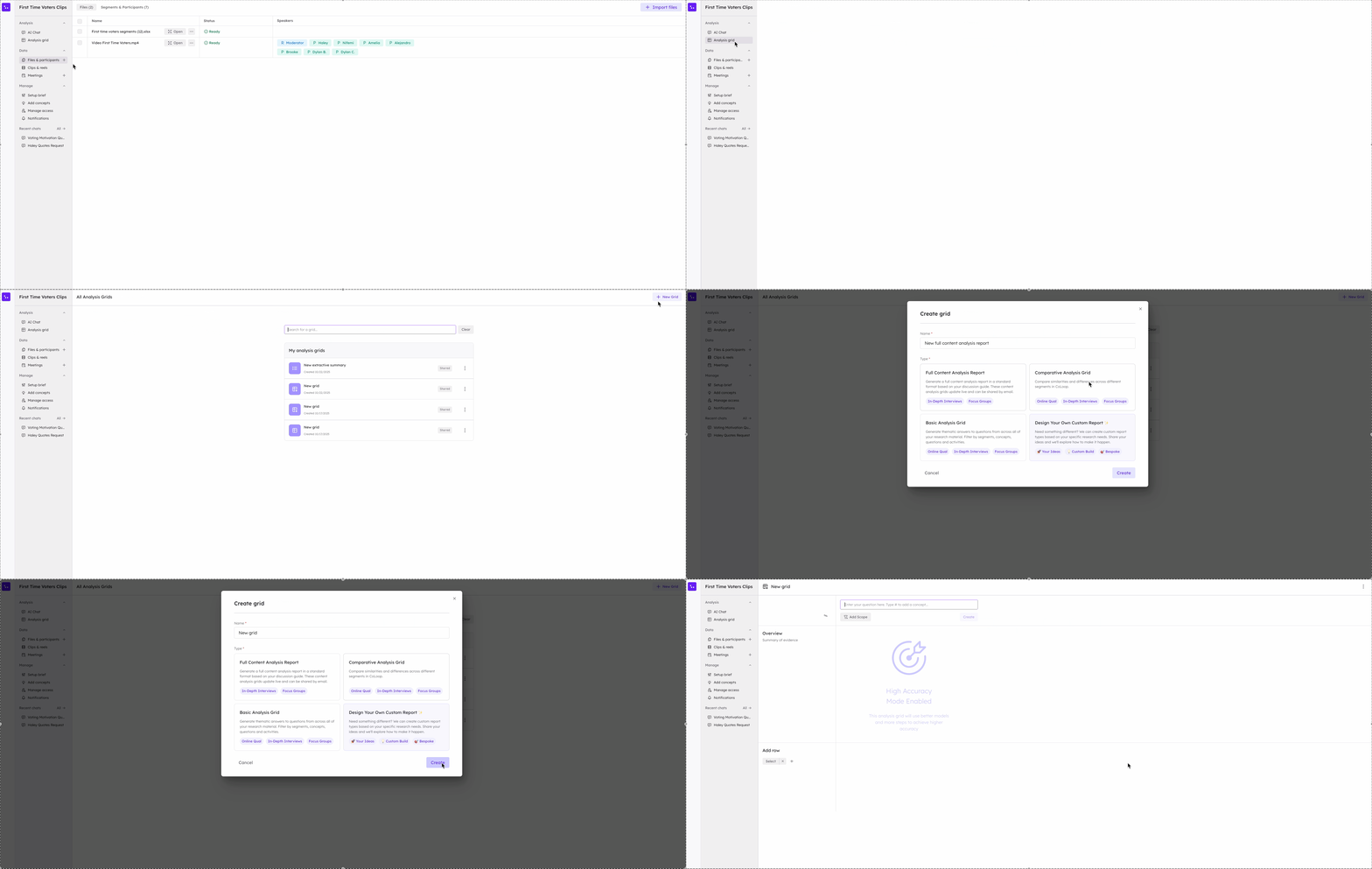
To create a comparative analysis grid, press **+ New Grid** and choose the "Comparative Analysis Grid" option.
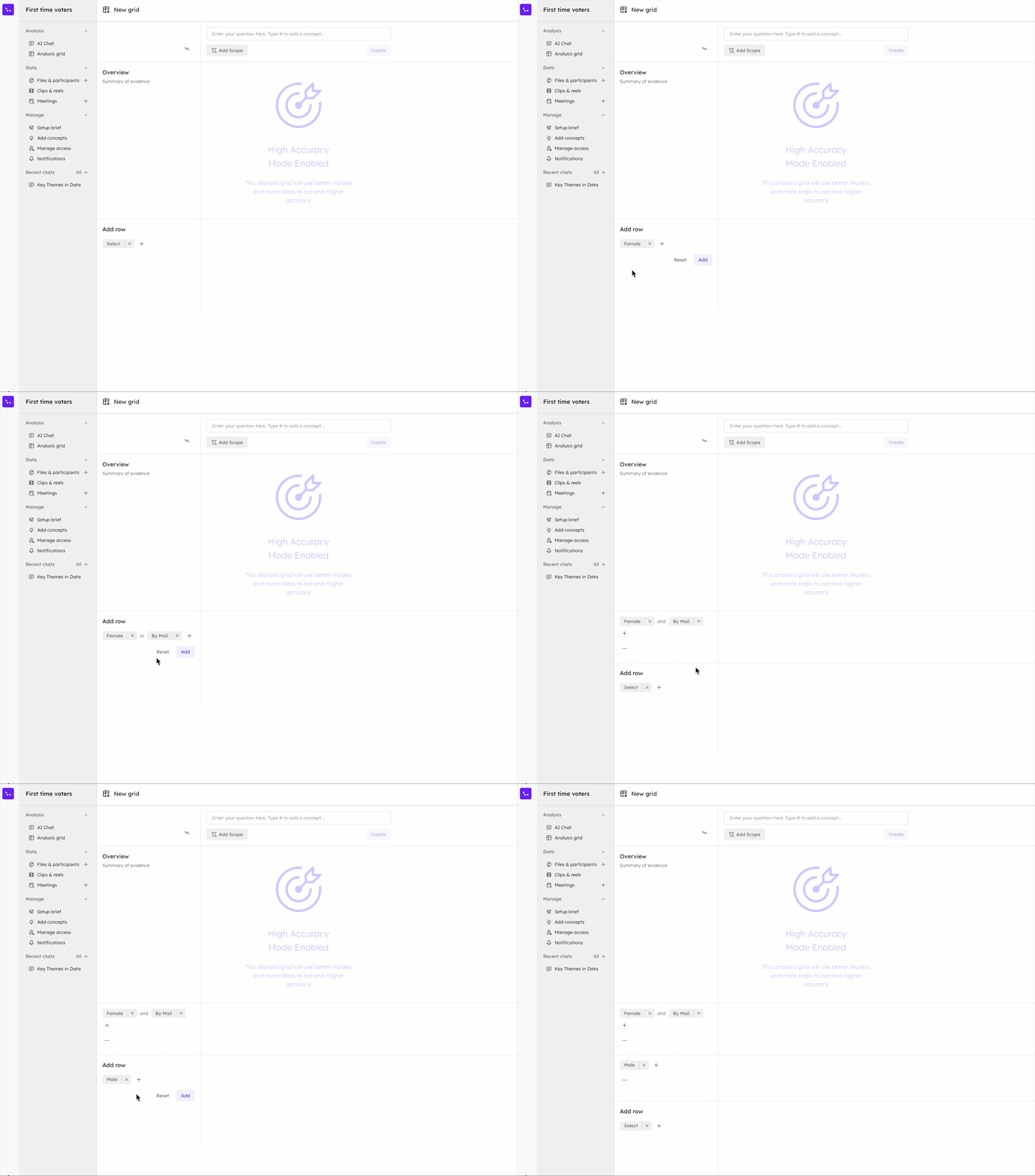
Once you've created the grid add in some segments or choose specific
participants to populate rows on the left hand side. Each row can contain up to
10 segments and 50 speakers. You can click the conjunction to customize the
inclusion.
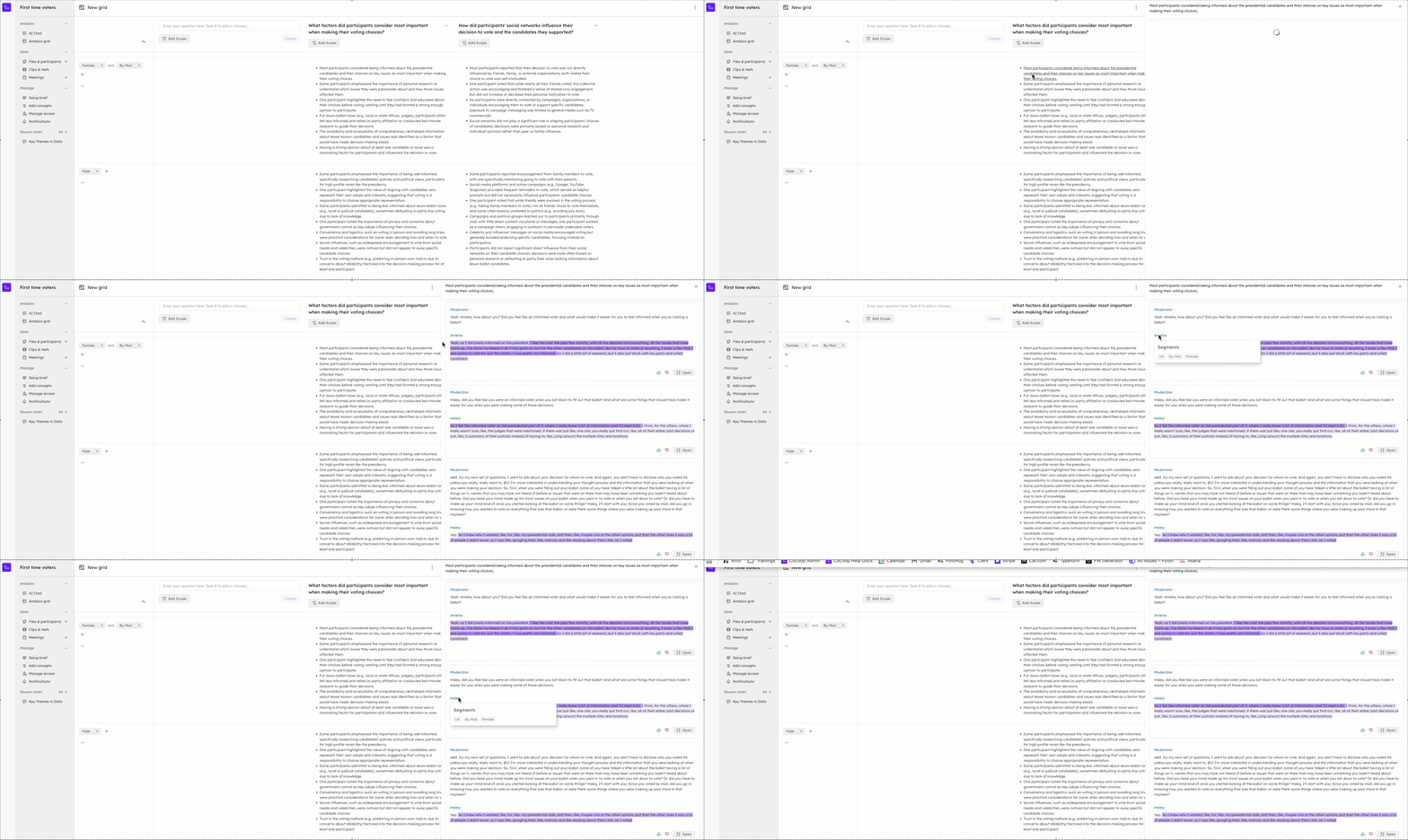
These rows will summarise how each segment responded to the question or
objective you enter a the top. Click on any bullet point and see which
participants were bucketed. You can mouse over any participant name to check the
segments associated.