> ## Documentation Index
> Fetch the complete documentation index at: https://docs.coloop.ai/llms.txt
> Use this file to discover all available pages before exploring further.
# Quote Finding Chat
> Find cited quotes in your project's research data with Quote Finding chat.
Quote Finding chat finds quotes. Ask a question and it answers with verbatim quotes from your project's research data, each cited to its source.
Use it when you know the point you want to make and need the quotes behind it. It does not analyze the full dataset, so it cannot count, find themes, or compare groups. For those, use the [Thought Partner chat](/docs/analysis/thought-partner-chat).
## Find quotes
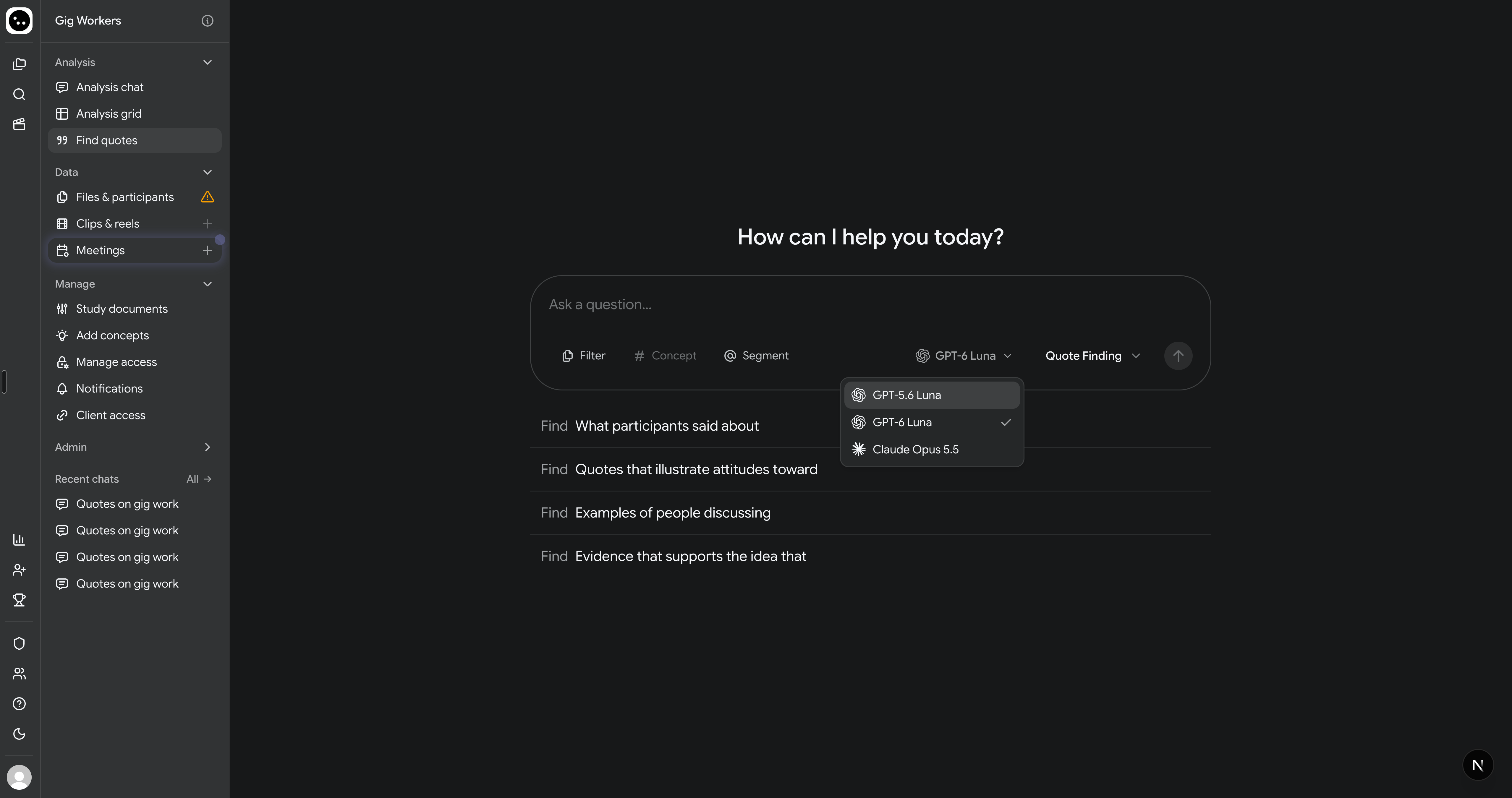
1. Click **Find quotes** in the project sidebar, or choose **Quote Finding** in the chat selector when you create a chat.
2. Ask for the quotes you want, for example "Find what participants said about pricing".
3. To narrow the search, click **Segment** or type **@** to name a participant or segment, click **Concept** or type **#** to name a concept, or click **Filter** to limit the chat to certain files, activities, or tasks. The filter can only be set when you create the chat.
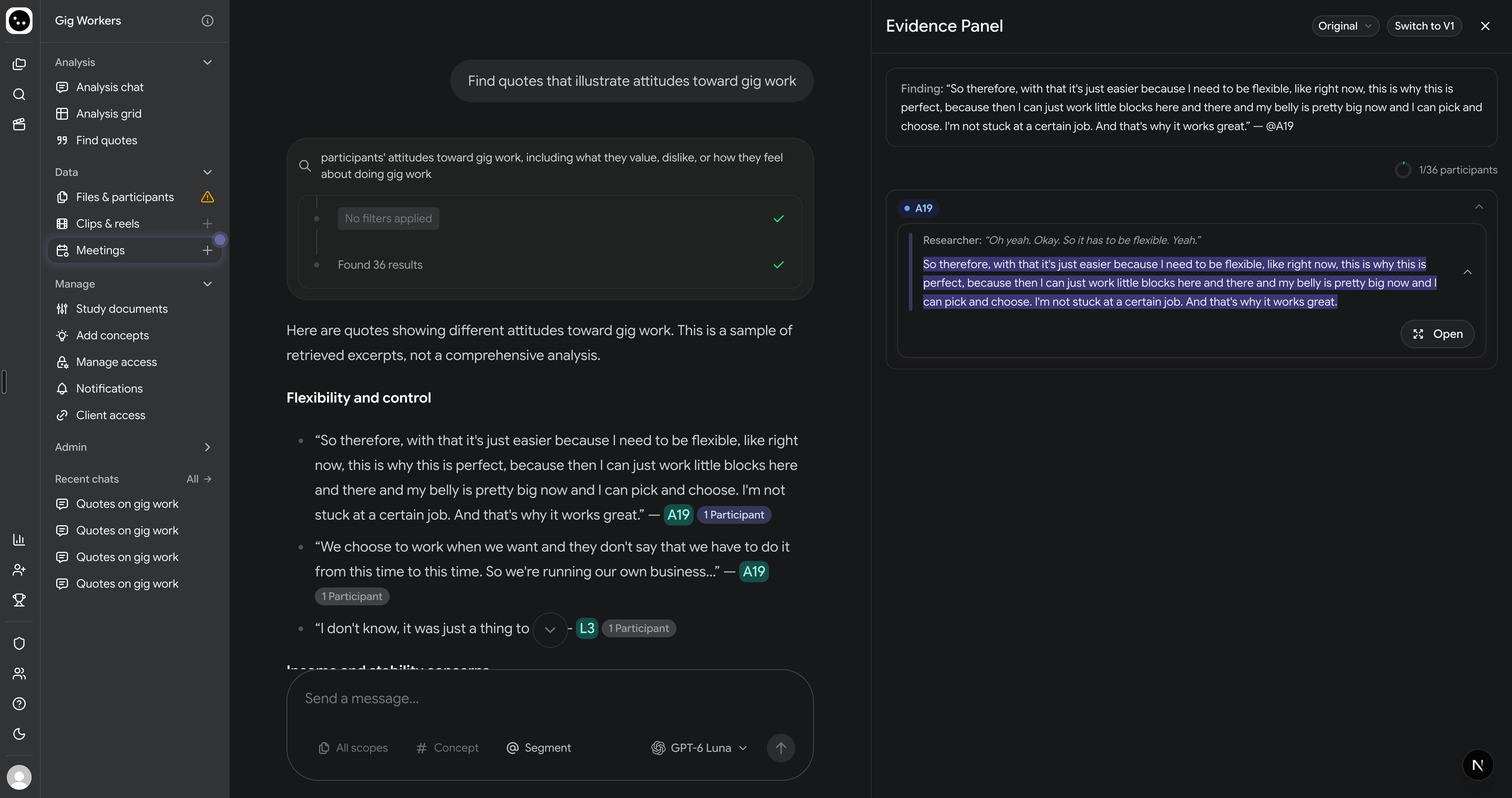
The answer quotes participants, with a citation after each quote. Click a citation to see the quote in context in the [evidence panel](/docs/analysis/evidence-panels).
 ## If the answer is not what you asked for
* **Nothing found.** The chat says it found nothing relevant. Rephrase the question, or widen the filter and ask again.
* **The question needs the full dataset.** A banner says the question is best answered by analyzing the full dataset, with a button to ask it in Thought Partner. Click the button; your question is carried across.
## Choose a model
Click the model name to the left of **Quote Finding** to choose **GPT-5.6 Luna**, **GPT-6 Luna**, or **Claude Opus 5.5**. New chats use the last model you chose in your browser, or **GPT-5.6 Luna** if you have not chosen one.
## If the answer is not what you asked for
* **Nothing found.** The chat says it found nothing relevant. Rephrase the question, or widen the filter and ask again.
* **The question needs the full dataset.** A banner says the question is best answered by analyzing the full dataset, with a button to ask it in Thought Partner. Click the button; your question is carried across.
## Choose a model
Click the model name to the left of **Quote Finding** to choose **GPT-5.6 Luna**, **GPT-6 Luna**, or **Claude Opus 5.5**. New chats use the last model you chose in your browser, or **GPT-5.6 Luna** if you have not chosen one.