> ## Documentation Index
> Fetch the complete documentation index at: https://docs.coloop.ai/llms.txt
> Use this file to discover all available pages before exploring further.
# Enforcing a Storage Region
> Require all new projects in your organization to store raw data in a specific region.
Organization admins can enforce a storage region (US, UK, or EU) so that every new project in the organization stores raw files in that region. When enforcement is active, members cannot choose a different region when creating a project.
This only affects new projects. Existing projects keep the region they were created with. Storage regions cannot be changed after project creation.
## Turn on storage region enforcement
1. Click your organization name in the top left and select **Manage**.
2. Go to the **Data residency** tab.
3. Toggle **Enforce storage region** on.
4. Select the region you want to enforce: **United States**, **United Kingdom**, or **European Union**.
5. Click **Save**.
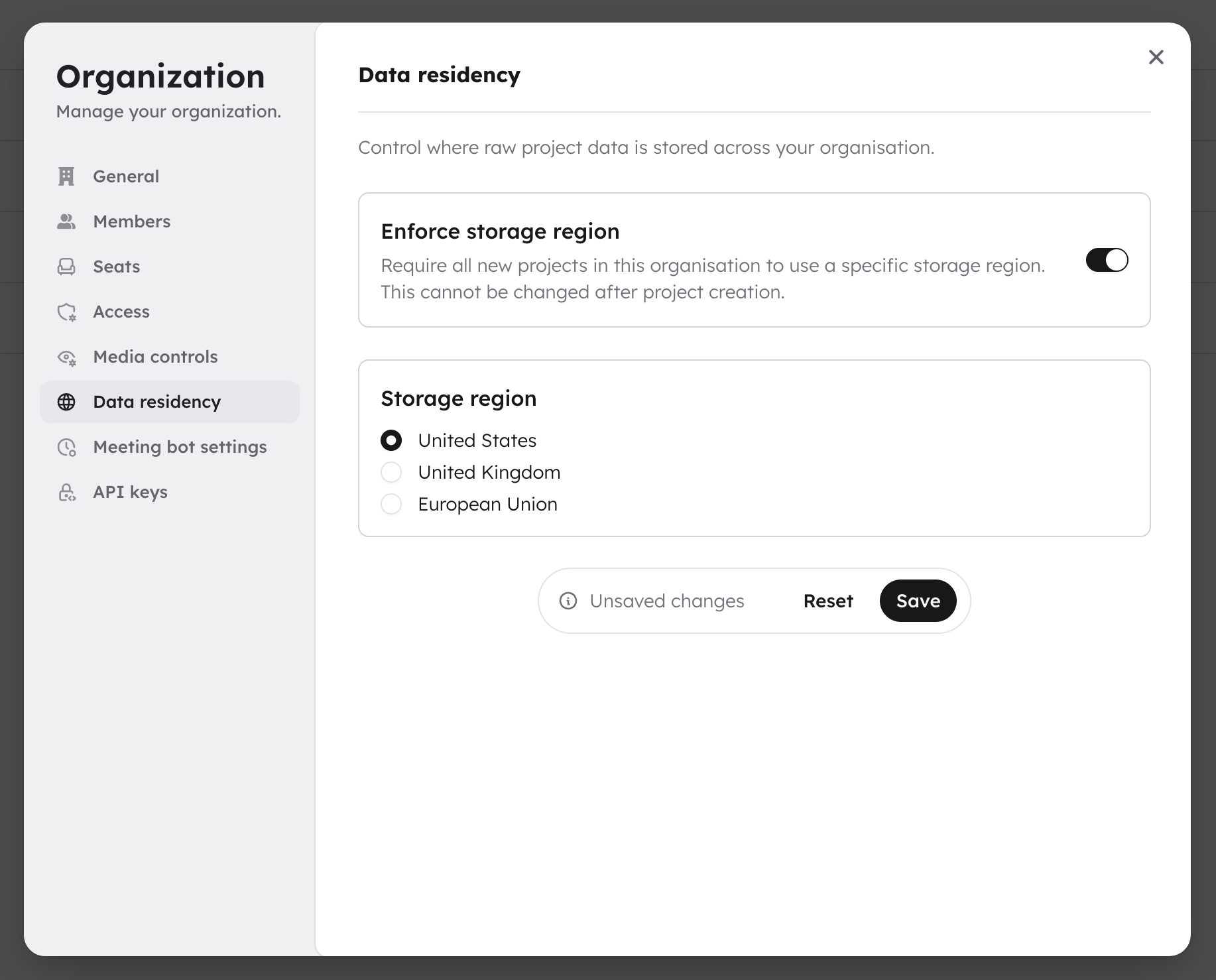 All new projects created by anyone in your organization will use the enforced region. The storage region picker in the project creation dialog is disabled, and members see a message explaining which region is enforced.
## Turn off enforcement
1. Go to the **Data residency** tab in your organization settings.
2. Toggle **Enforce storage region** off.
3. Click **Save**.
Members can then choose their own storage region when creating new projects.
## What members see
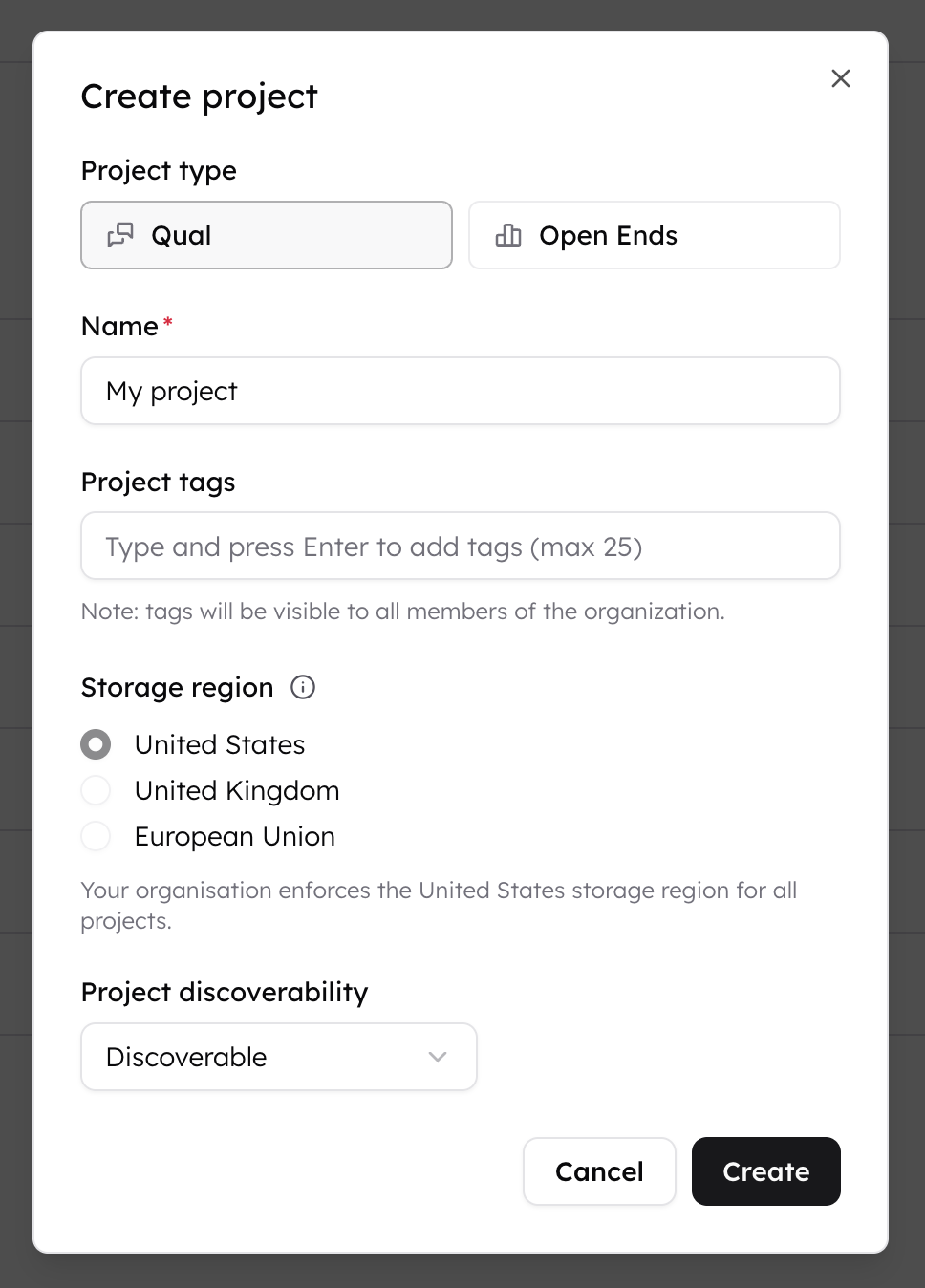
When enforcement is active, the storage region picker in the create project dialog is disabled. The enforced region is pre-selected and a message explains that the organization enforces it.
All new projects created by anyone in your organization will use the enforced region. The storage region picker in the project creation dialog is disabled, and members see a message explaining which region is enforced.
## Turn off enforcement
1. Go to the **Data residency** tab in your organization settings.
2. Toggle **Enforce storage region** off.
3. Click **Save**.
Members can then choose their own storage region when creating new projects.
## What members see
When enforcement is active, the storage region picker in the create project dialog is disabled. The enforced region is pre-selected and a message explains that the organization enforces it.
 ## Who can change this setting
Only organization admins can access the Data residency tab. Non-admin members see a message directing them to contact their admin.
For more on admin vs. member permissions, see [Managing an Organisation](/docs/collab-and-access-management/managing-an-org).
## Who can change this setting
Only organization admins can access the Data residency tab. Non-admin members see a message directing them to contact their admin.
For more on admin vs. member permissions, see [Managing an Organisation](/docs/collab-and-access-management/managing-an-org).