> ## Documentation Index
> Fetch the complete documentation index at: https://docs.coloop.ai/llms.txt
> Use this file to discover all available pages before exploring further.
# What do I do if my focus group participants are mixed up?
> Learn how to manage mixed up focus group participant labels in CoLoop. Discover methods for correcting individual speaker instances and merging speaker labels to ensure accurate transcription and analysis.
* As a starting point we always recommend making sure you have high quality audio recordings
* In our experience online interviews via Zoom, Meets etc. work the best as the audio is channelled and every participant has their own microphone
* Recording facilities with low quality audio setups or live interviewing with background noise can be challenging
* If you find audio segments have been mixed up don't worry CoLoop can still work on these!
## Changing an individual instance of a speaker
## Merging together speakers
Once you've applied a label to set of speaker segments only individual instances can be changed. If you need to change all of them again we suggest deleting the file and starting over.
* One approach you can take in this case particularly with focus groups is to merge the individual speakers together
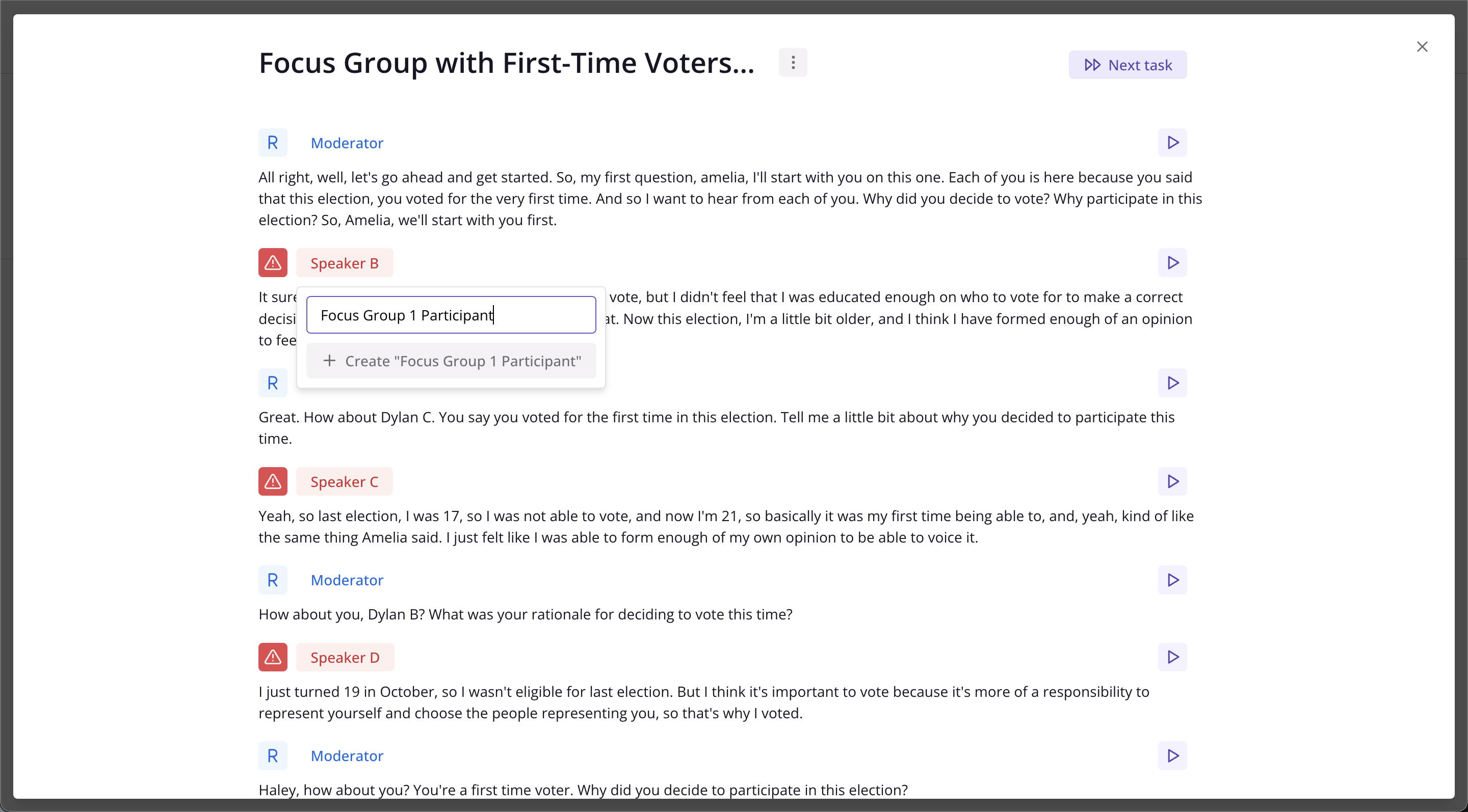
* You can do this by assigning them the same name e.g. "focus group 1 participant"
* You will lose the ability to attribute quotes back to exact individuals but as long as a distinction is made between the Moderator and participants it will work just fine.
* If there are any segments where the Moderator has been mislabelled as a participant you can correct these individually [like this](/docs/setting-up-a-project/create-a-transcript#correcting-transcripts)
## Example of merging together speakers
Once speaker labels have been merged this cannot be undone. In order to change these you would need to upload the file again and start over.
Add a label to the speaker after upload -- make sure it's something generic like "Focus Group Participant"
When labelling the next participant apply this same label from the list
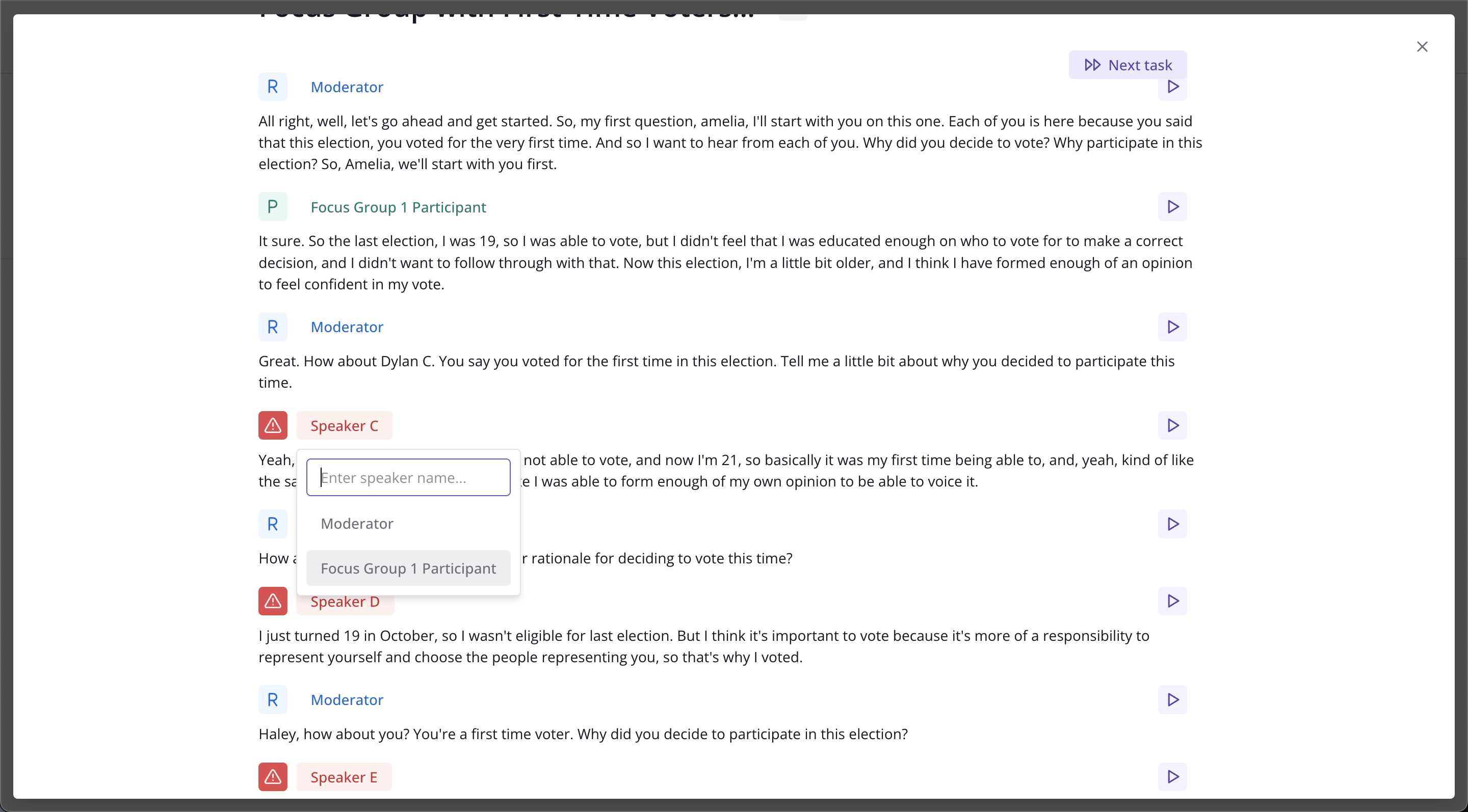
This will merge the speaker segments under one label "Focus Group Participant".