

Import your Listen Labs survey responses into CoLoop to analyze open-ended feedback with AI-powered grids and chat.Documentation Index
Fetch the complete documentation index at: https://docs.coloop.ai/llms.txt
Use this file to discover all available pages before exploring further.
Exporting Data from Listen Labs
To export your data from Listen Labs:- Open your project in Listen Labs
- Click Export complete responses
- Download the Excel file to your computer
Importing into CoLoop
To import your Listen Labs data:- Open your project in CoLoop and click Add Files
- Scroll to the Integrations section
- Click Listen Labs
- Select your exported Excel file
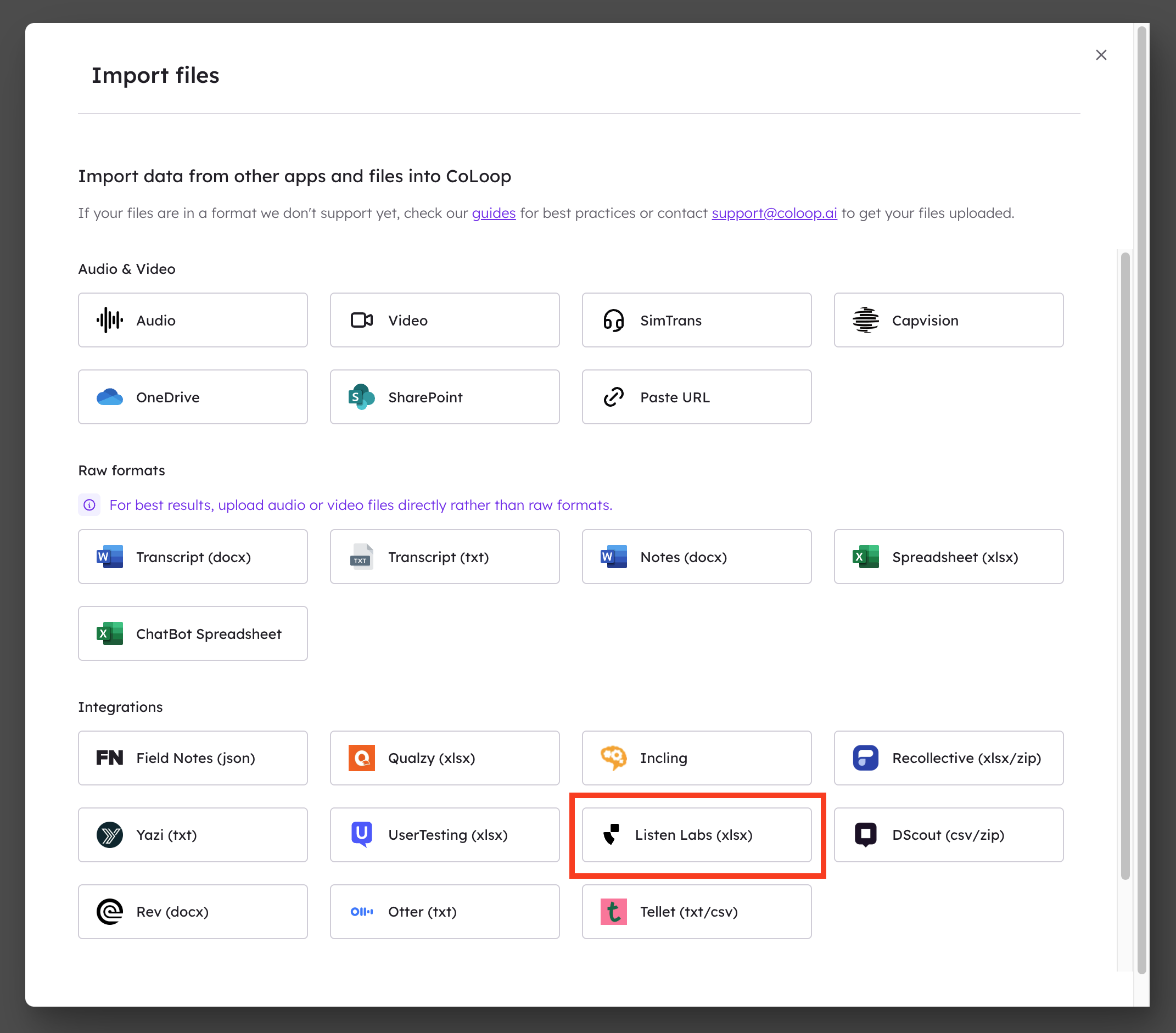 CoLoop will process your file and index the responses for analysis.
Analyzing Your Data
Once your data is imported, you can analyze it using:- Grids for structured thematic analysis across questions
- Chat for flexible, conversational exploration of your data
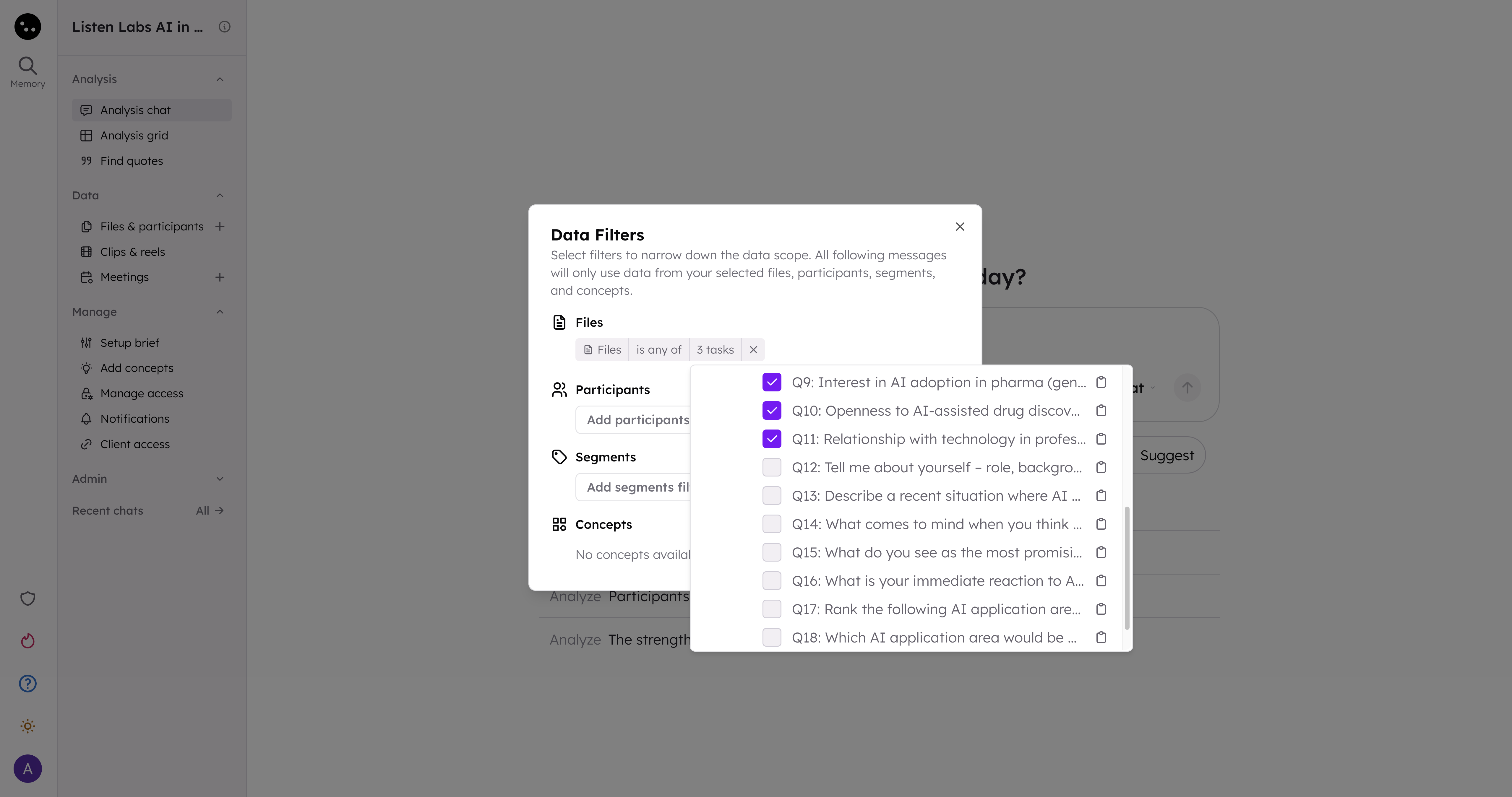
- In the chat input area, click Add filter
- In the Data Filters dialog, click Add files filter
- Select your Listen Labs file to expand it
- Expand activities to see individual questions
- Check the specific questions you want to analyze
 For more on analysis techniques, see Analysis Grids and Chat 2.0.