
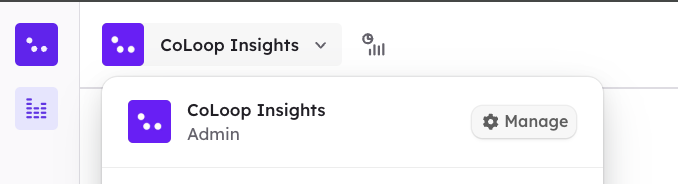
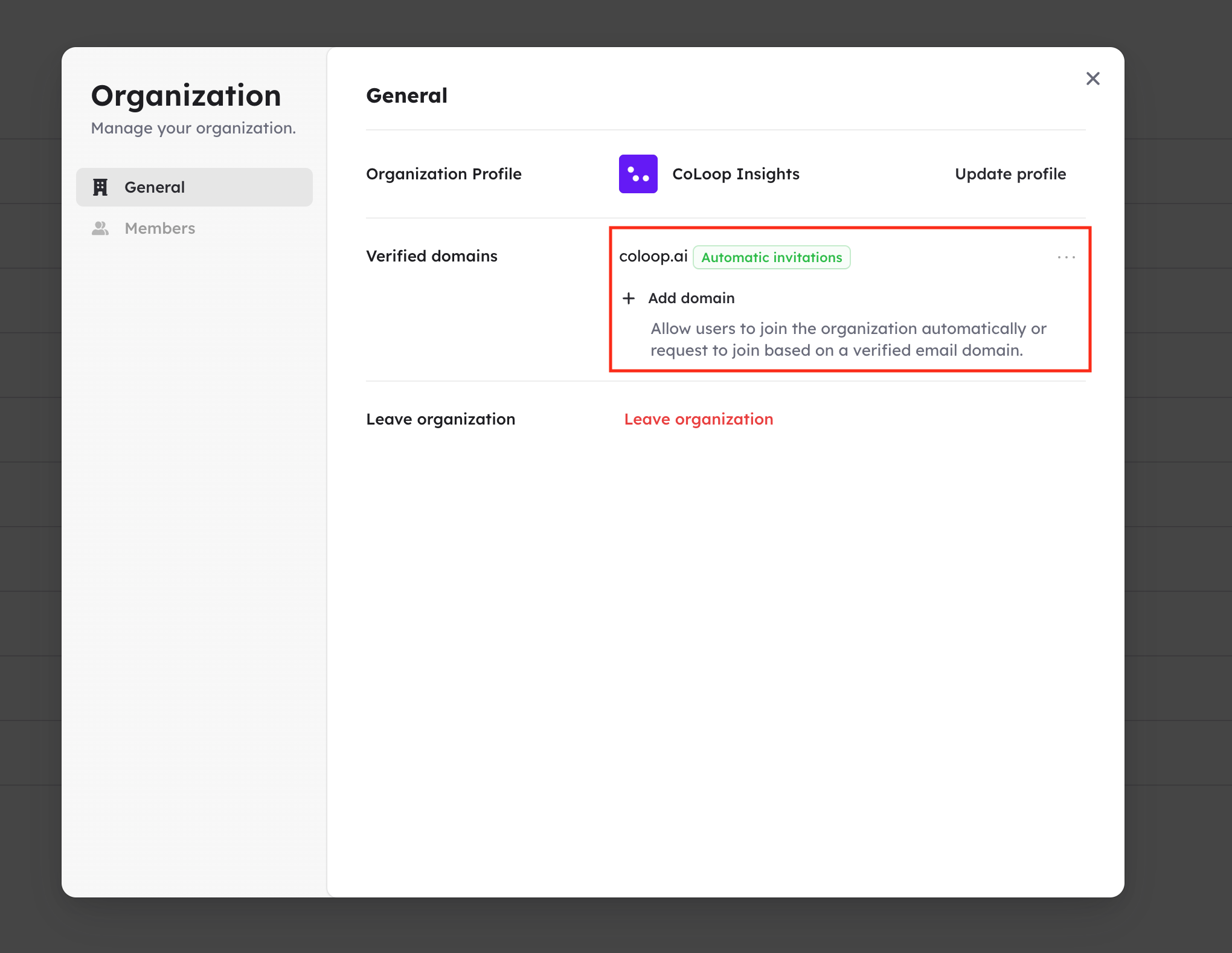
 After selecting manage, a pop-up will appear, allowing you to manage your organisation’s settings. To set up auto-join, enter your organisation’s domain (e.g. @organisation.com) by selecting ’+ Add domain’ in the ‘Verified Domains’ row.
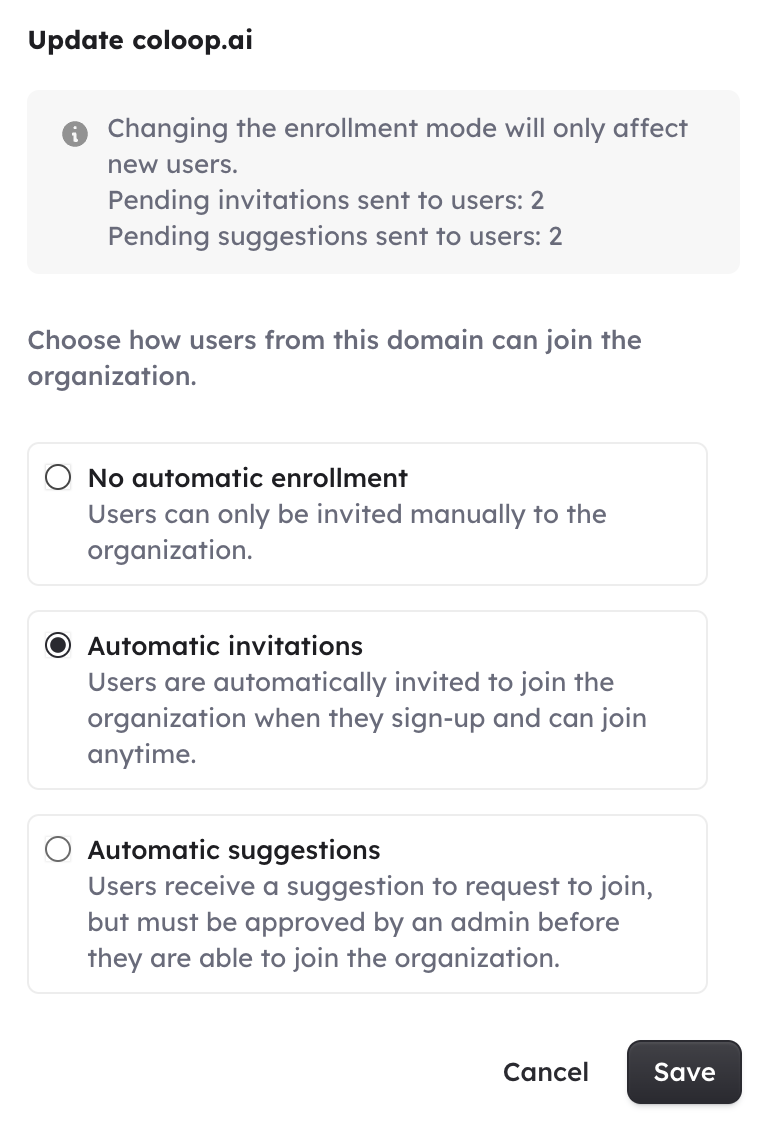
 This will open a pop-up where you can choose your auto-join setting. To ensure users in your organisation are automatically added to CoLoop when their accounts are created, select the ‘Automatic Invitations’ option, as shown below. Please note, to be automatically added to your organisation, colleagues must set up accounts with email addresses with domains matching those listed under ‘verified domains’.