

What’s the difference between supported and unsupported plans?Documentation Index
Fetch the complete documentation index at: https://docs.coloop.ai/llms.txt
Use this file to discover all available pages before exploring further.
| Feature | CoLoop Pro with Community Support | CoLoop Pro with Premium Support |
|---|---|---|
| Documentation | Yes | Yes |
| All Qualitative Features | Yes | Yes |
| 15 projects / year | Yes | Yes |
| 100 Transcription Hours | Yes | Yes |
| 100 Translation Hours | Yes | Yes |
| 1000 Grid Questions | Yes | Yes |
| 1000 Chat Messages | Yes | Yes |
| Community Support | Yes | Yes |
| 1 - 1 Support | No | Yes |
-
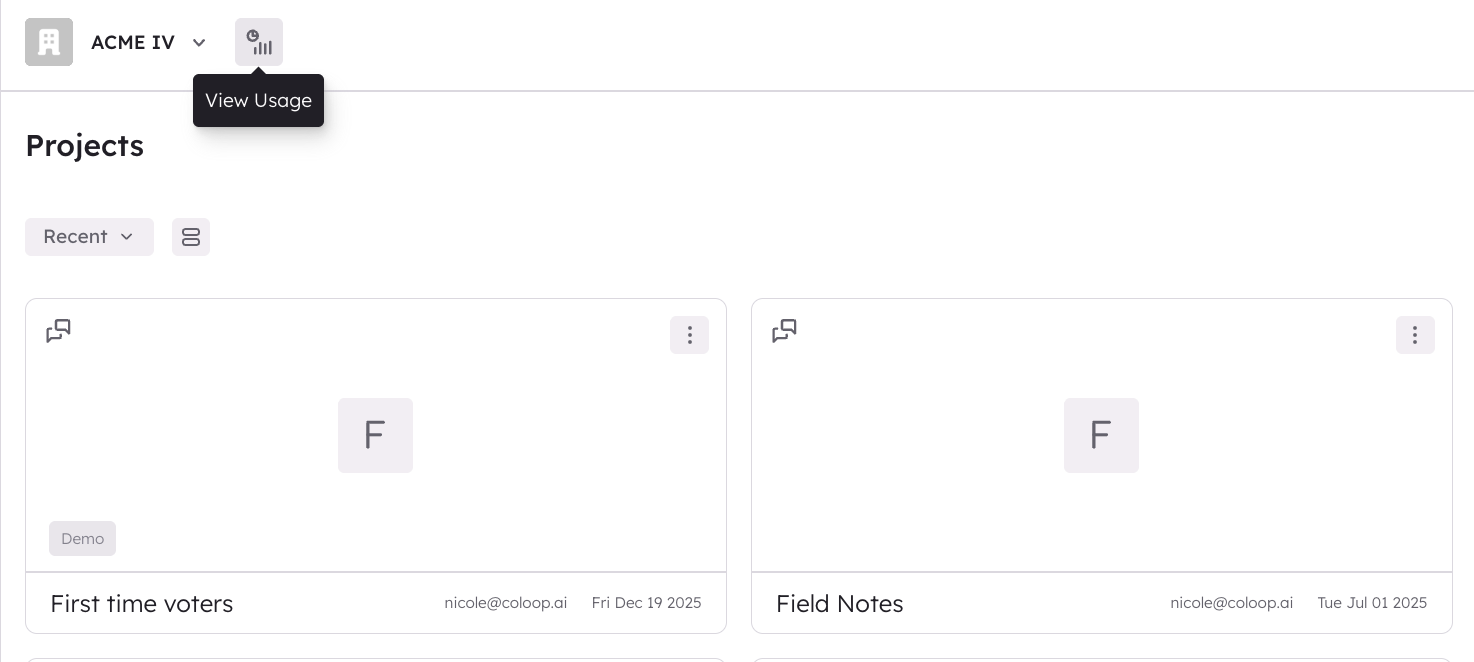
Open the CoLoop app and click on the usage icon (you must be in your workspace to do this).
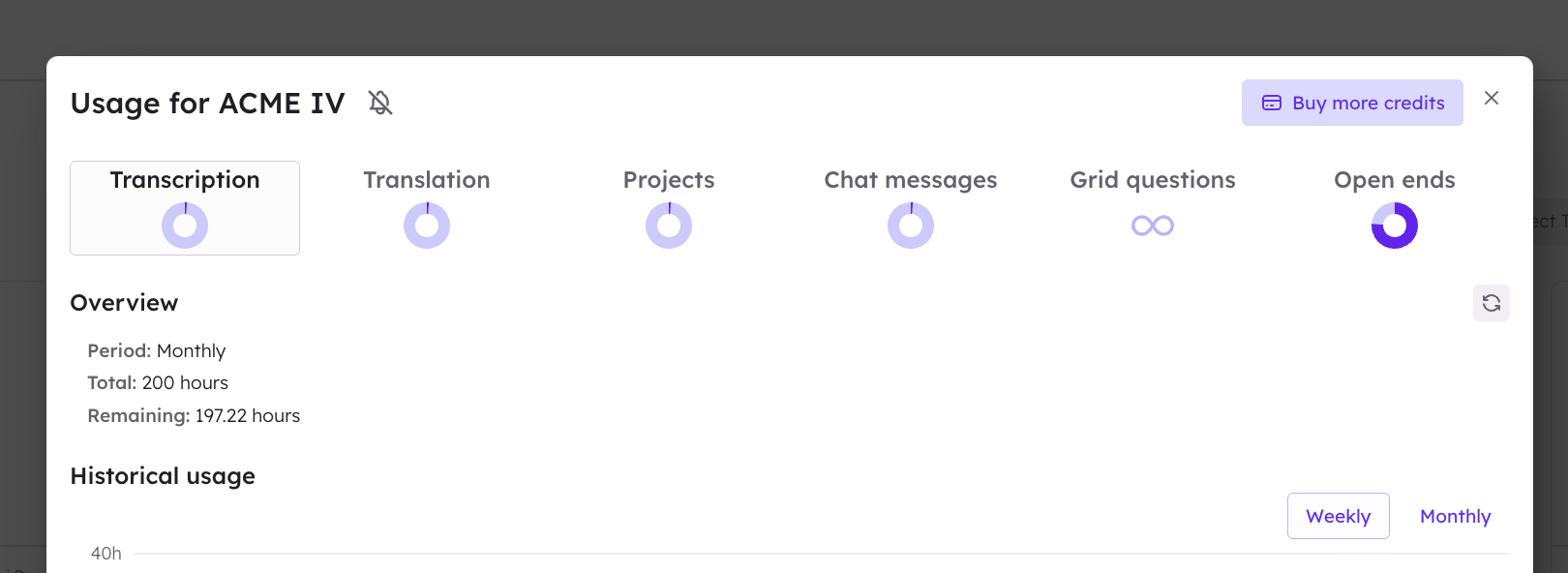
- Click on manage credits, in the top right hand corner of the usage dashboard pop up.
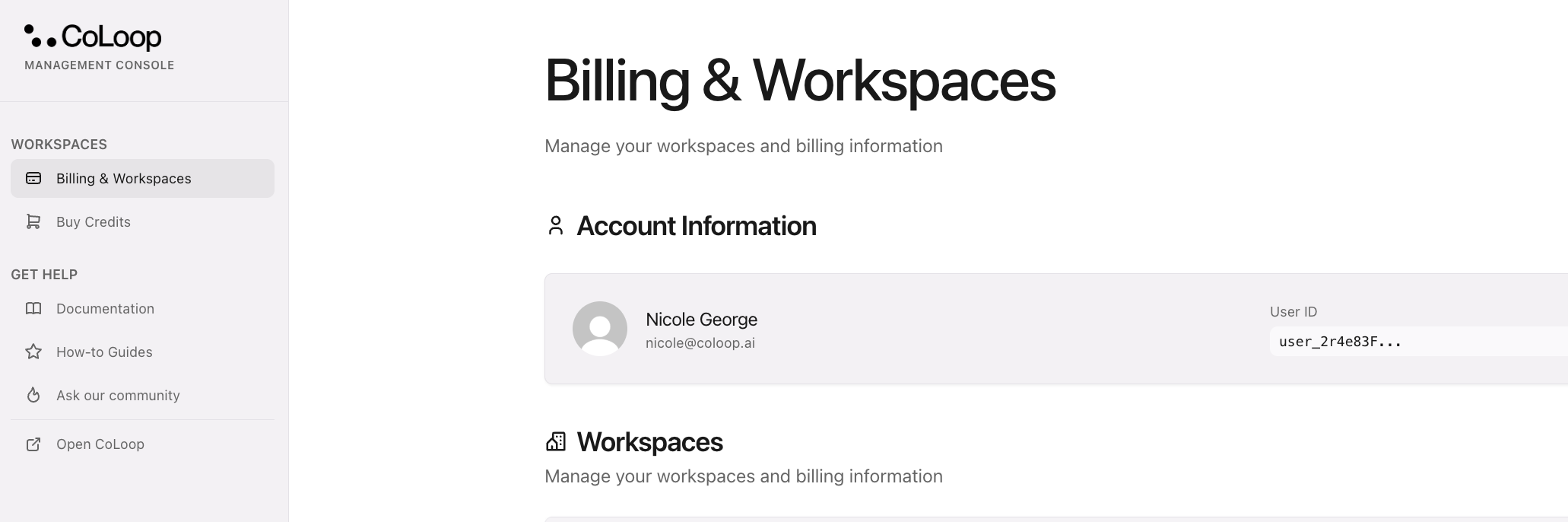
- Click on Billing & Workspaces at the top of the left hand menu.
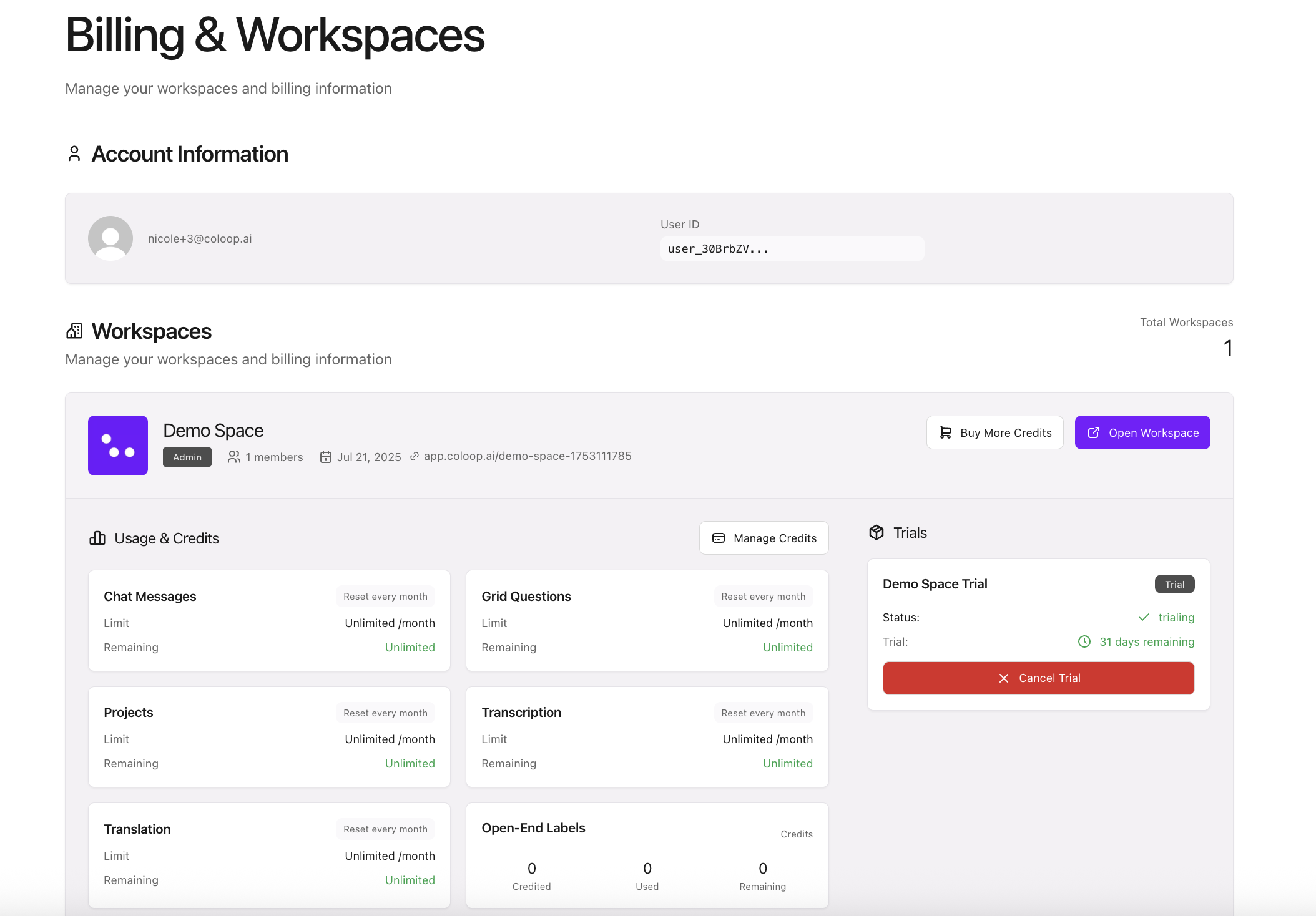
 You can now manage your billing.
 What happens when my trial ends?
After your trial ends (30 days after your first payment), you will automatically be rolled over into a 12-month plan.
If you need to cancel your trial, please navigate to the billing area (instruction above) and select ‘Cancel Trial’.
After the trial, the minimum contract length for CoLoop is 12-months.
What happens when my trial ends?
After your trial ends (30 days after your first payment), you will automatically be rolled over into a 12-month plan.
If you need to cancel your trial, please navigate to the billing area (instruction above) and select ‘Cancel Trial’.
After the trial, the minimum contract length for CoLoop is 12-months.