

Project guests do not use organisation seats. Guests only have access to the
projects you invite them to.
Who can manage seats?
Organisation admins and champions can manage seats for their organisation. If you cannot see the Seats page, ask an organisation admin or champion to make the seat change for you.Open the Seats page
- Open CoLoop.
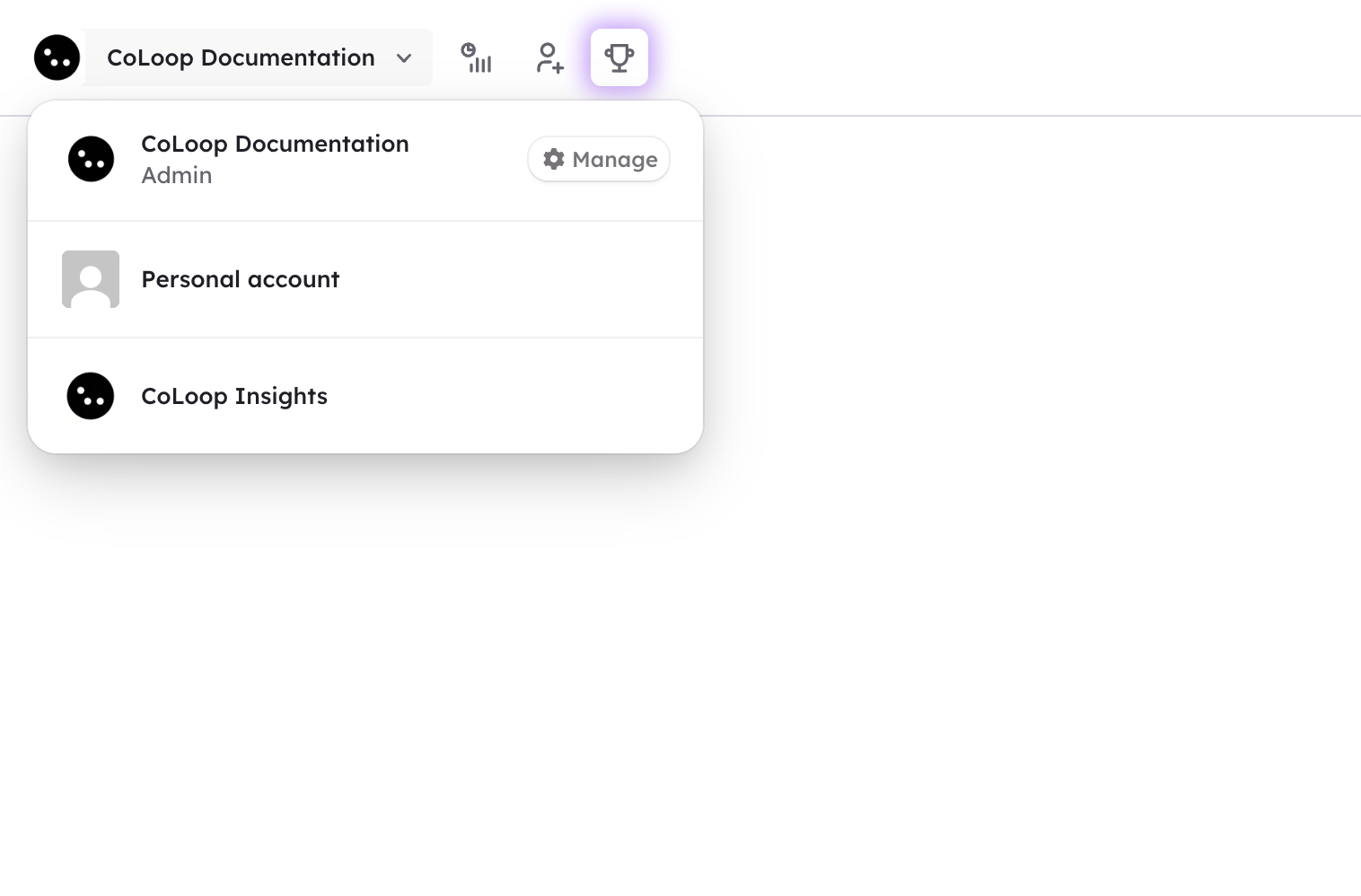
- Click your organisation name in the top left.
- Click “Manage”.
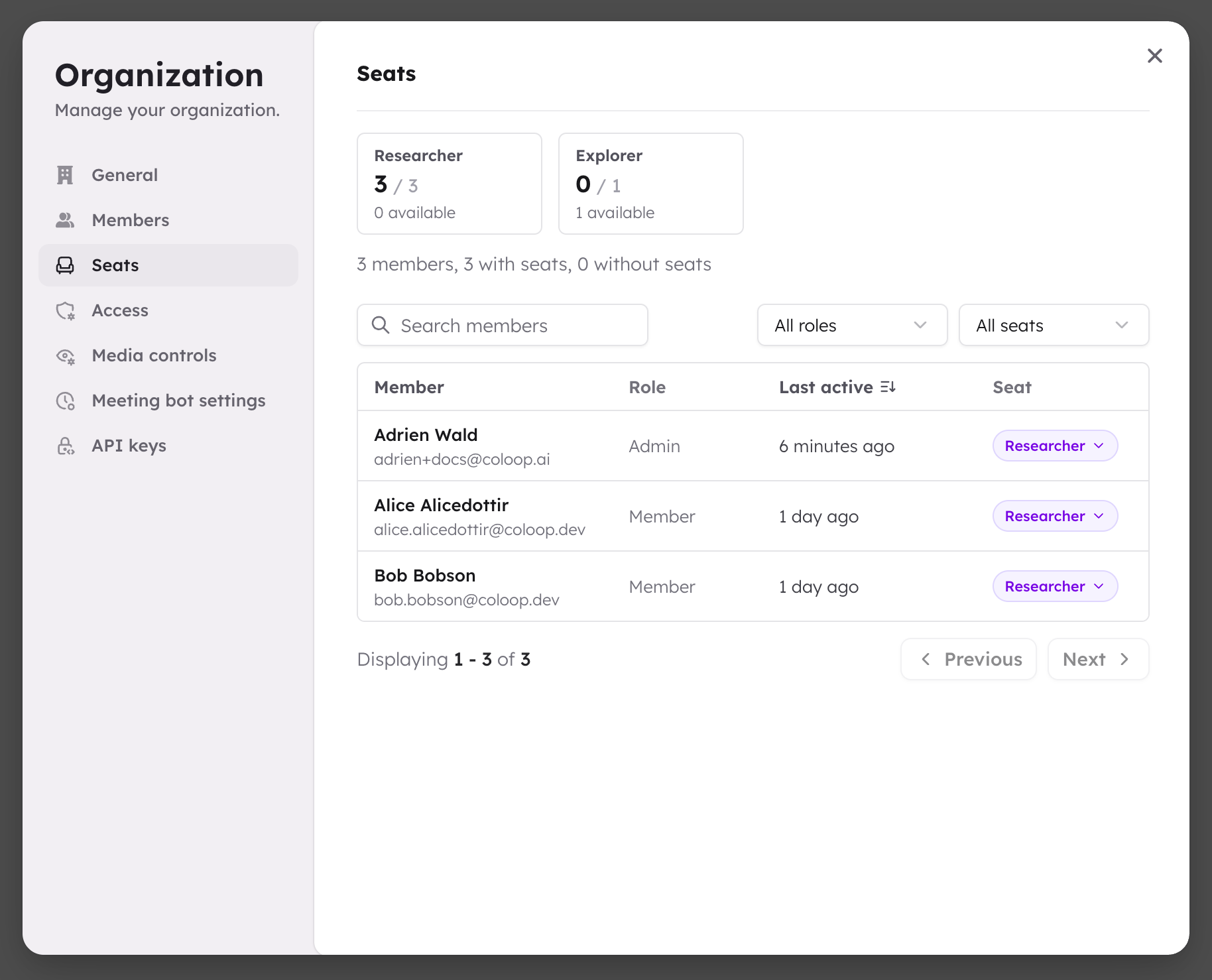
- Open the “Seats” page.
Check if your organisation has seat limits
Open the Seats page. If you see seat totals, your organisation has seat limits.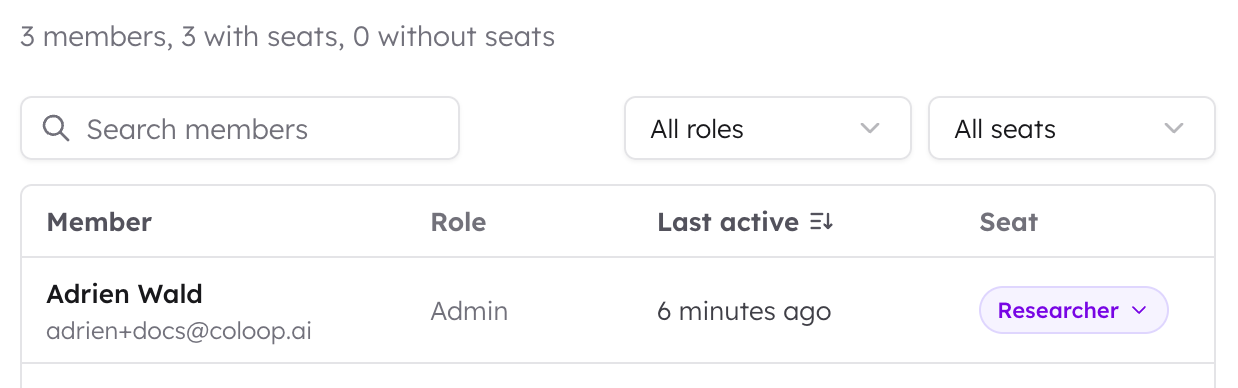 If you do not see seat totals, your organisation does not have seat limits.
Members can use CoLoop without being assigned a seat.
If you do not see seat totals, your organisation does not have seat limits.
Members can use CoLoop without being assigned a seat.
Check if seats are enforced
Seat enforcement can be off while an organisation moves onto a seat-based plan. If you see “Seat enforcement off”, your organisation has seat limits, but those limits are not controlling access yet. Members without seats can still use CoLoop. This gives organisation admins and champions time to review members and make sure the right people are on the right seats before seat limits start controlling access.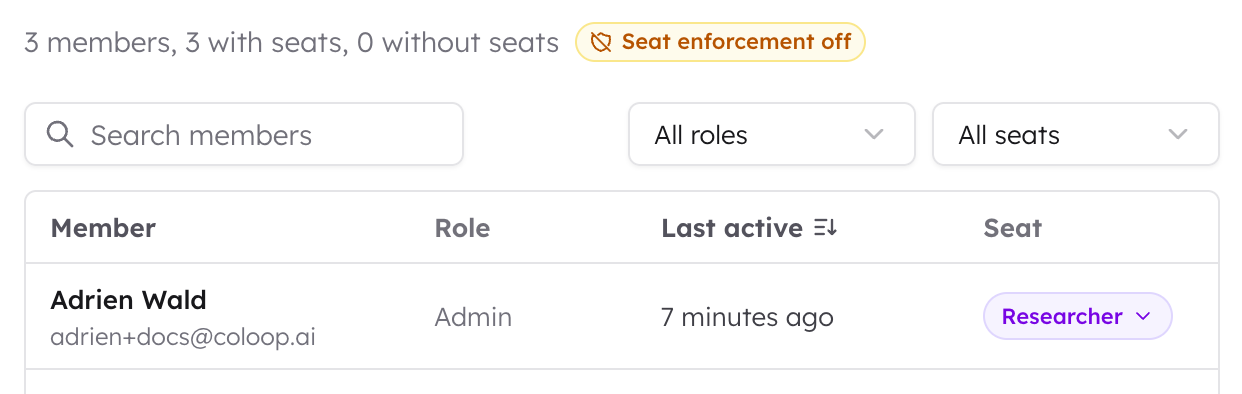
Understand your seat summary
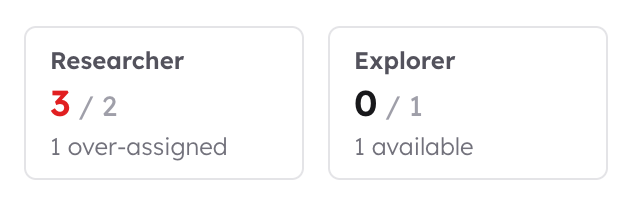
If your organisation has seat limits, the top of the Seats page shows how many seats your organisation has. Each seat type shows:
A seat type can show more used seats than the current total. This is called
over-allocated. Existing members keep their seats, but you cannot assign more
seats of that type until the number of used seats is below the total again.
Seat types
If your organisation has seat limits, it has one or more seat types.
The seat types available to you depend on your organisation’s plan.
A simple way to choose is to ask what the person comes to CoLoop to do. If they
are responsible for the research work, they should be on a Researcher seat. If
they come to CoLoop to learn from research that already exists, they should be
on an Explorer seat.
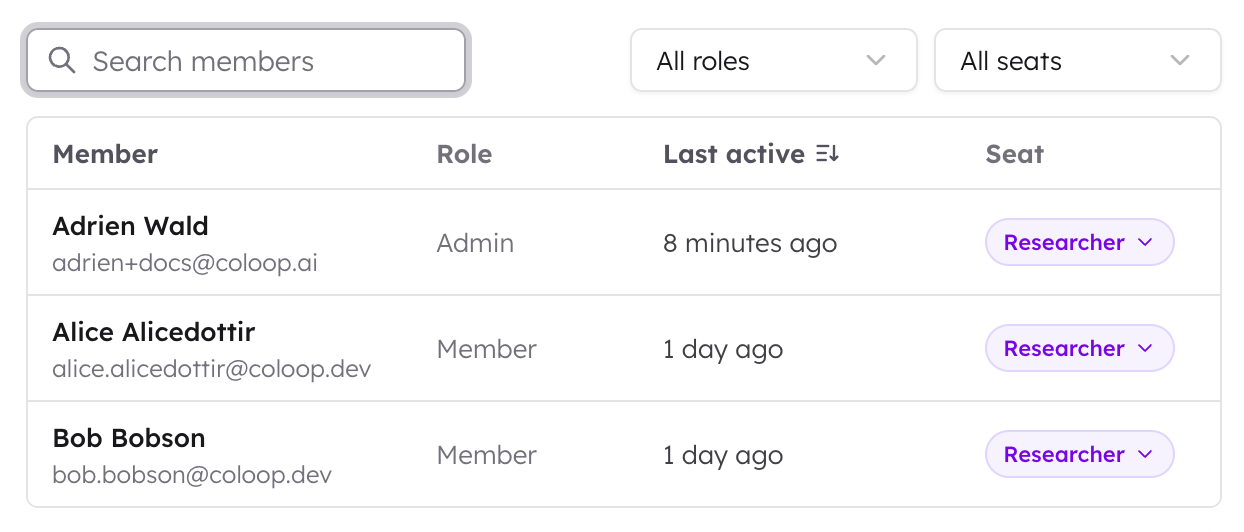
Find members
Use the member list to find people in your organisation. You can:- Search by name or email.
- Filter by role.
- Filter by seat status.
- Sort by name or recent activity.
Assign a seat
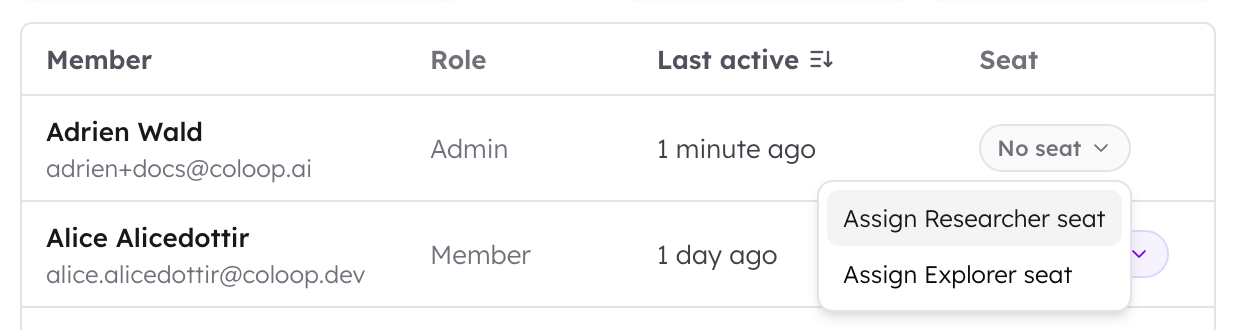
Use this when someone needs to start using CoLoop.- Find the person in the member list.
- Open the menu on their row.
- Choose the seat type you want to assign.
Change a seat type
Use this when someone’s needs change.- Find the person in the member list.
- Open the menu on their row.
- Choose the new seat type.
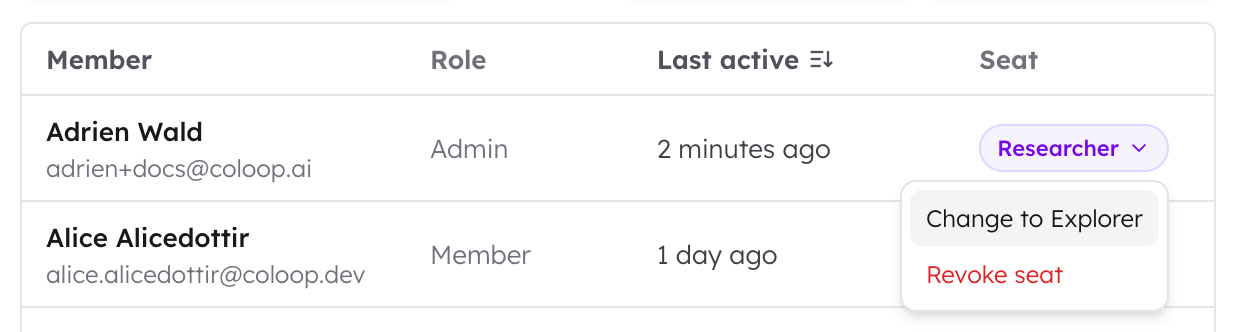
Remove a seat
Use this when someone no longer needs to use CoLoop.- Find the person in the member list.
- Open the menu on their row.
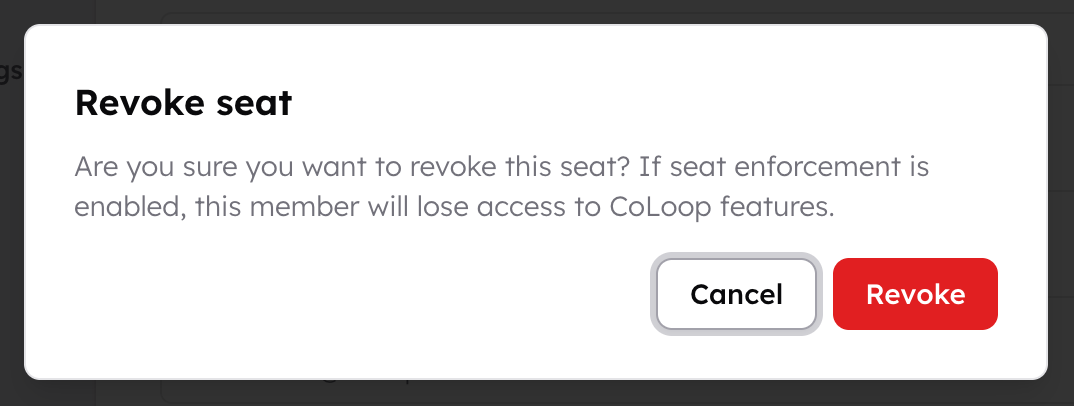
- Click “Revoke seat”.
- Confirm the change.
What happens if someone has no seat?
If your organisation does not have seat limits, members can use CoLoop without seats. If your organisation has seat limits, a member without a seat can still sign in. They cannot use CoLoop features that need a seat. They should ask an organisation admin or champion for a seat.Seats and project access are different
Seats and project access control different things.
For example, a person can have a seat but still need to be added to a project
before they can open it.