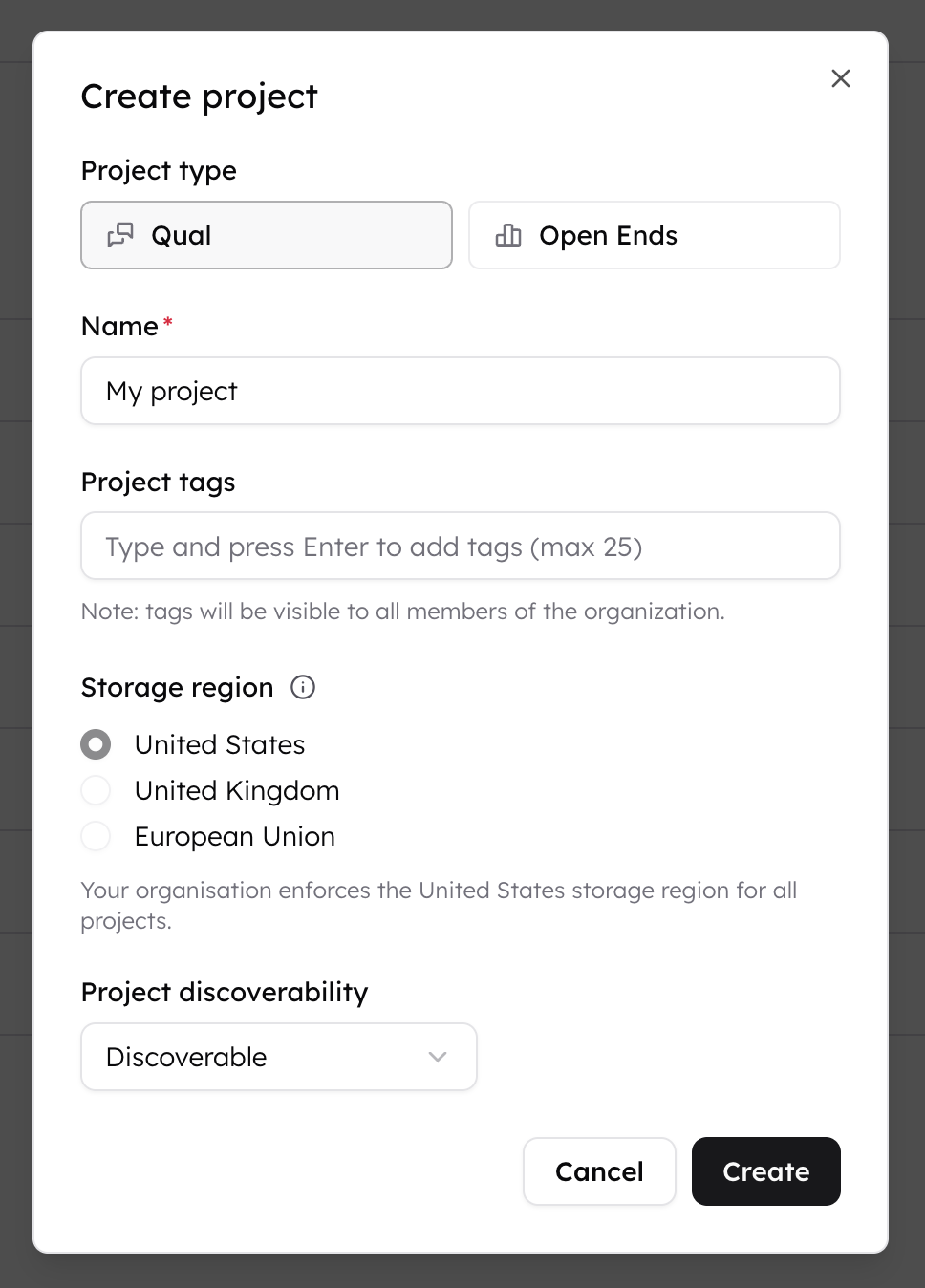

This only affects new projects. Existing projects keep the region they were created with. Storage regions cannot be changed after project creation.
Turn on storage region enforcement
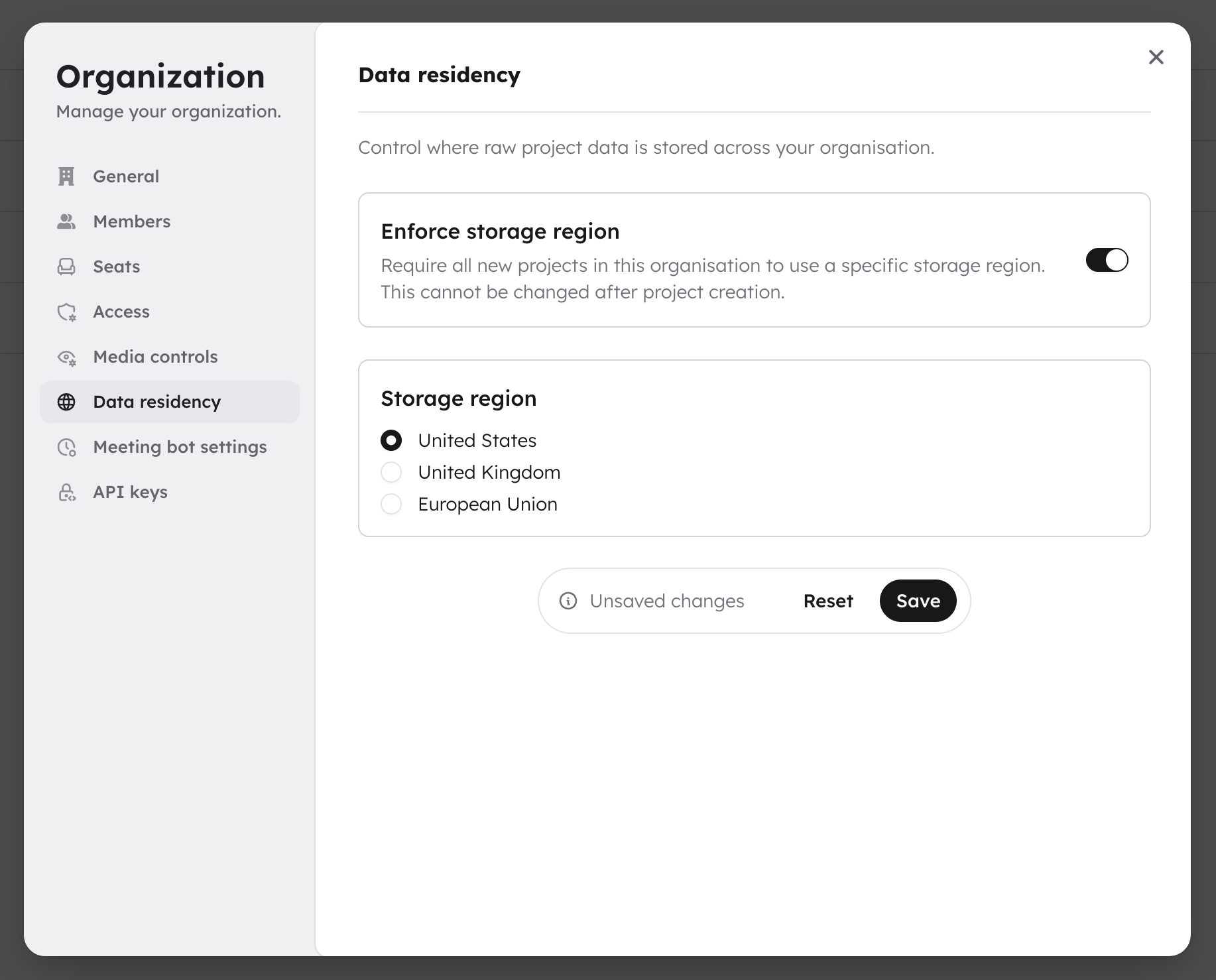
- Click your organization name in the top left and select Manage.
- Go to the Data residency tab.
- Toggle Enforce storage region on.
- Select the region you want to enforce: United States, United Kingdom, European Union, or Australia.
- Click Save.
 All new projects created by anyone in your organization will use the enforced region. The storage region picker in the project creation dialog is disabled, and members see a message explaining which region is enforced.
Turn off enforcement
- Go to the Data residency tab in your organization settings.
- Toggle Enforce storage region off.
- Click Save.
What members see
When enforcement is active, the storage region picker in the create project dialog is disabled. The enforced region is pre-selected and a message explains that the organization enforces it.